TABLE OF CONTENTS
- 2026-2027 Year Preparation
- Start Your CAPSDAC 2.0 Report
- New Copy Calendar to Other Program Tool
- Family Income Enhancement
- General Enhancements
- Fixes & Adjustments
2026-2027 Year Preparation
- As we shared in our previous release notes, we have made many updates to prepare your Hubbe system for the new year, including the addition of the 2026-2027 CDE/CDSS Income Ranking Table and Fee Schedules, and the 2026-2027 CACFP Income Eligibility Guidelines.
- As a reminder, there are several important steps you must complete to continue using the Hubbe system, detailed in the first resource below; as well as when assessing your subsidized families with the new fee schedules, detailed in the second resource below:
- Annual Guide: Preparing Your Program for the New Year (2026-2027) - Click here to view this article
- New 2026-27 CDE/CDSS Family Fee Schedules - Click here to view this article
Start Your CAPSDAC 2.0 Report
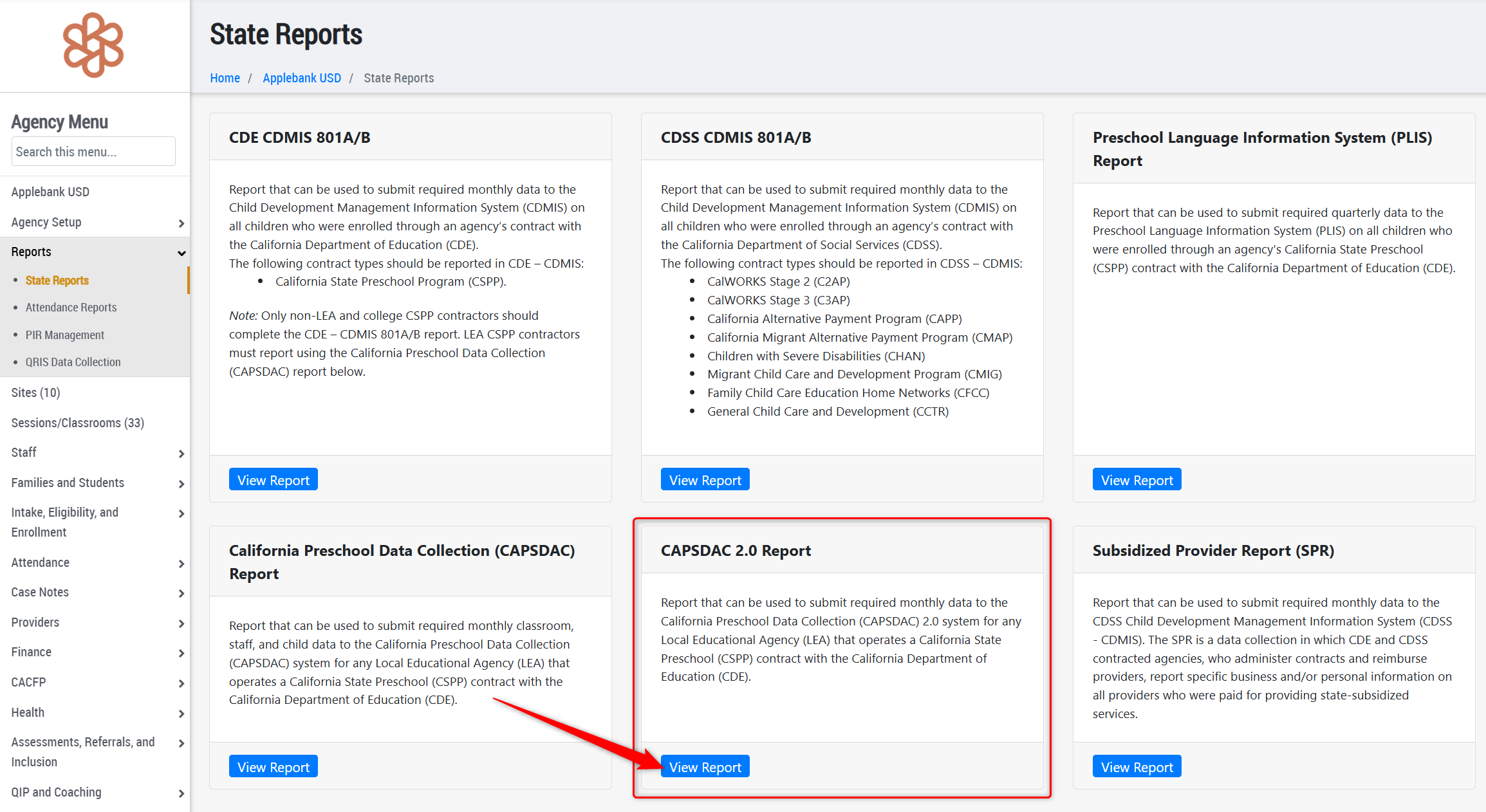
- On July 1st, you will be able to access and begin preparing your CAPSAC 2.0 Report in Hubbe for upload to the CAPSDAC 2.0 system. You will have access to the July 2026 cycle data, which will be due by August 15th.
- The CAPSDAC 2.0 Report in Hubbe includes the following features:
- (1) Features to manage changes to the "live data" since the last cycle under each domain
- (2) Ability to "save" changes to data in each domain once all report errors or gaps in data have been corrected
- (3) CSV downloads for all saved domains that can be uploaded to the CAPSDAC 2.0 to complete data entry for each report domain in batches.
- (4) Import feature for child CSPP IDs so that IDs created in the CAPSDAC 2.0 system can be imported to student records in Hubbe
- We are actively working on a full instruction sheet that details how to use the CAPSDAC 2.0 report that will be linked to the "Help" system on the CAPSDAC 2.0 report screens next week. We will also share links to register for trainings on how to use this new report feature that you'll have access to register for throughout the month of July 2026.
- To navigate to the new CAPSDAC 2.0 Report click on Reports > State Reports > CAPSDAC 2.0 Report from your Agency Menu.
New Copy Calendar to Other Program Tool
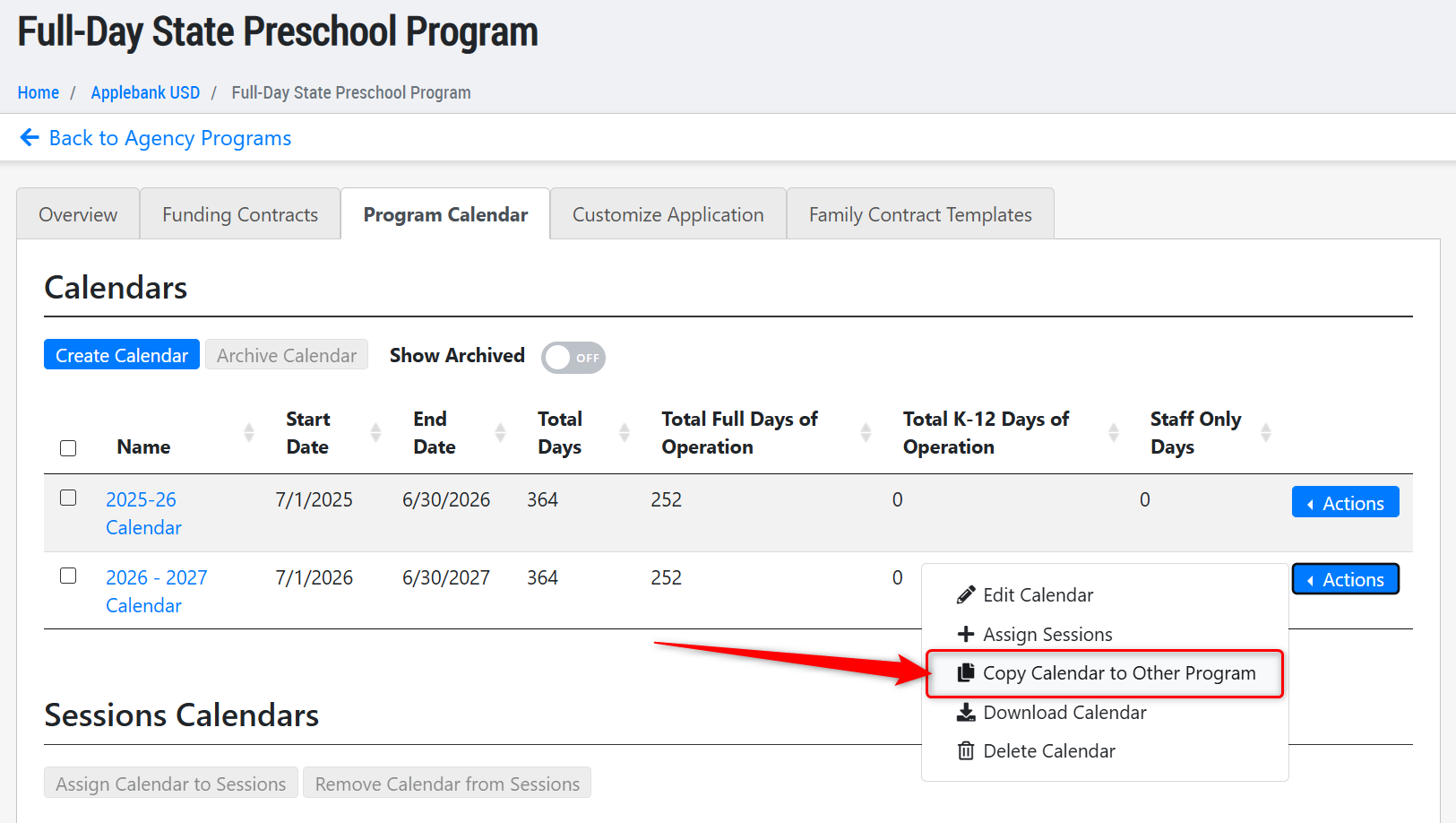
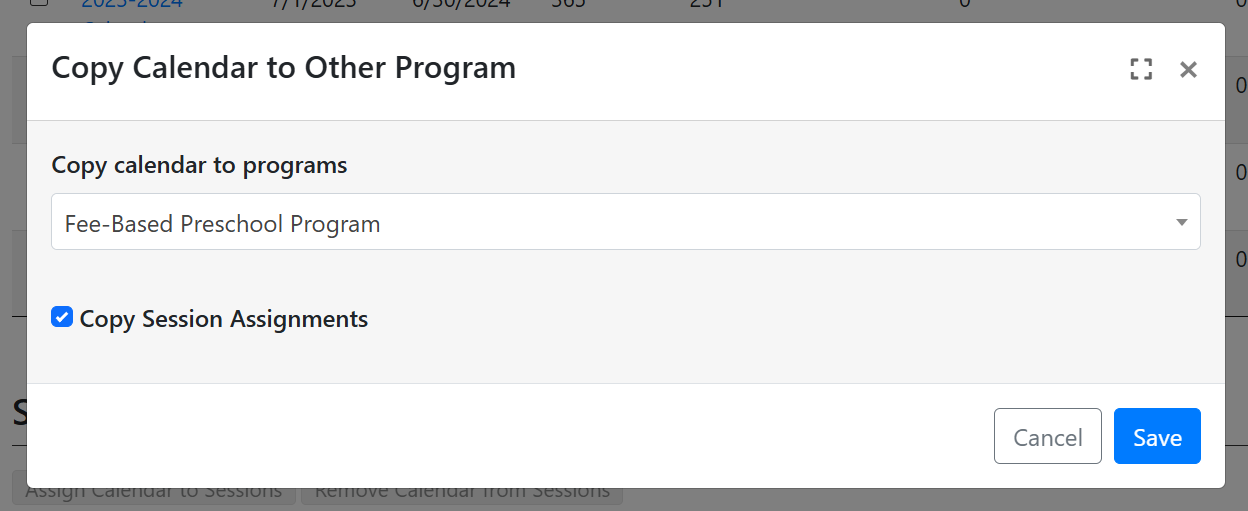
- We have added a new tool that will hopefully make each year's setup a bit easier. You can now copy program calendars to other programs. Once you create a calendar, ensure all days are setup properly, and assign it to the applicable sessions in one program, you can copy that calendar into another program, along with all the same session assignments. To do this, click Actions > Copy Calendar to Other Program and select all programs where you wish to create this same calendar. You can optionally copy all the same session assignments, as well.
Family Income Enhancement
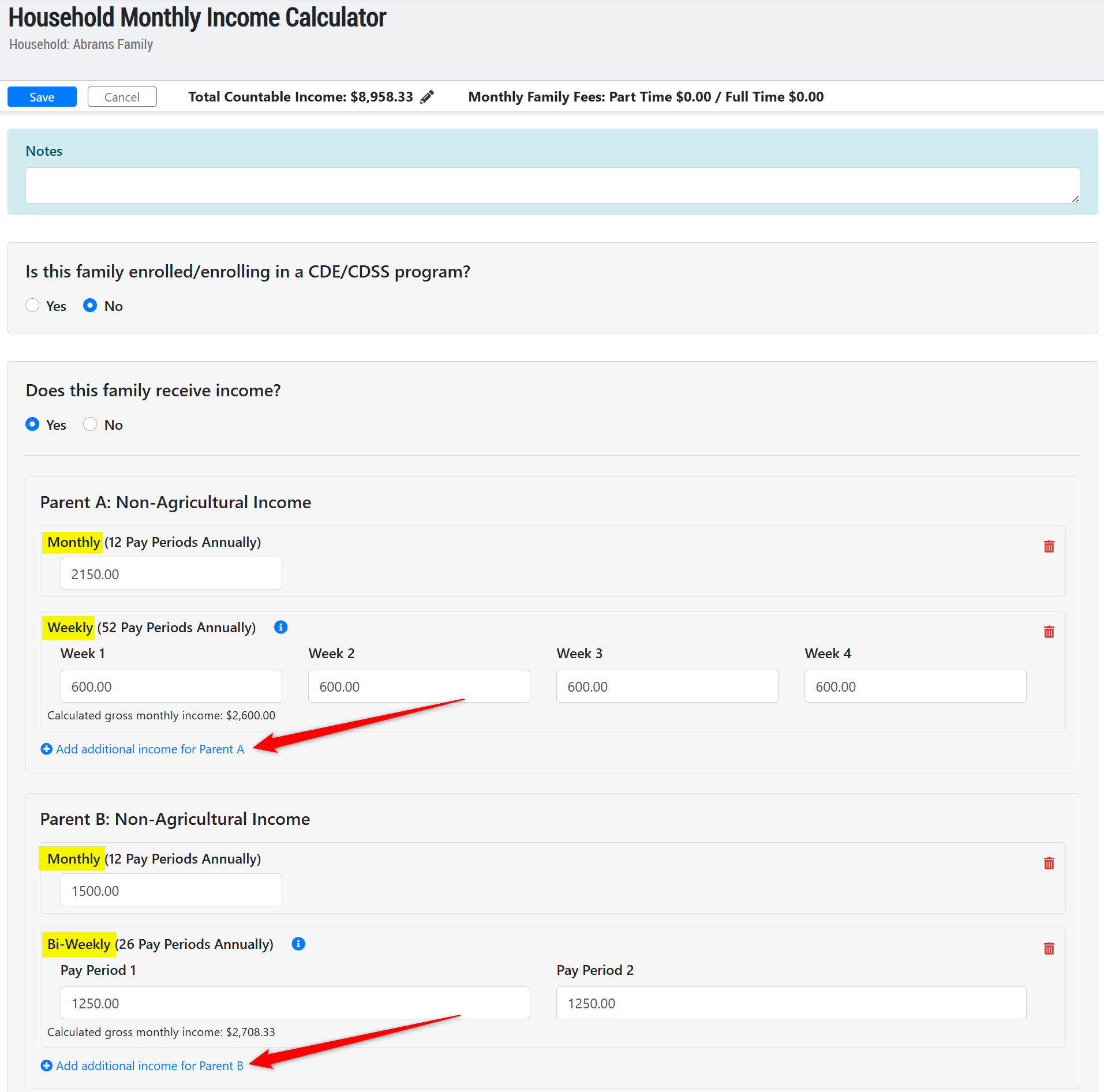
- Updated the Income Calculator Worksheet and Income section of the Family Application to allow parents to add multiple frequencies of income, such as one "Monthly" income source and another "Weekly" income source for a single parent.
General Enhancements
- Added two filters to the new "Enrollment Coordinator Caseload by Site" tab of the Family Application Configuration area to allow users to filter site caseloads by Site Region and Site School District Boundary.
- Updated the Student Household Schedule (Comprehensive) import/export to show the child's scheduled Site (ID and Name) and re-ordered some columns to bring the child's Name, Date of Birth, and Gender to follow the Student ID column.
- Added a new "Method of Assistance" option called "Side by Side" for Coach Logs, available to include as an option within the QIP and Coaching>Customize Coach Logs area.
Fixes & Adjustments
- Fixed an issue with the fees shown in the "View Pending Fees" modal from the Manage Billing grid. Note this did not affect the fees generated when billing was run, only when viewing fees pending for the billing period.
- Fixed an issue that the Enrollment Manager role was experiencing within the Enrollment Dashboard in the "Enrollment Counts by Session" tab.
- Fixed an issue with the default Language selection made for Parent records upon intaking a Family Application when the parent's Spoken Language field is hidden within the application.
- Fixed several issues related to the Staff Ratio within the Staff Schedules feature and its available download options.
Was this article helpful?
That’s Great!
Thank you for your feedback
Sorry! We couldn't be helpful
Thank you for your feedback
Feedback sent
We appreciate your effort and will try to fix the article