TABLE OF CONTENTS
- New Staff Schedules Feature
- Attendance Enhancements
- Coach Log Enhancements
- Head Start Enhancements
- Family Application Enhancements
- Provider Invoicing Enhancements
- Fixes & Adjustments
New Staff Schedules Feature
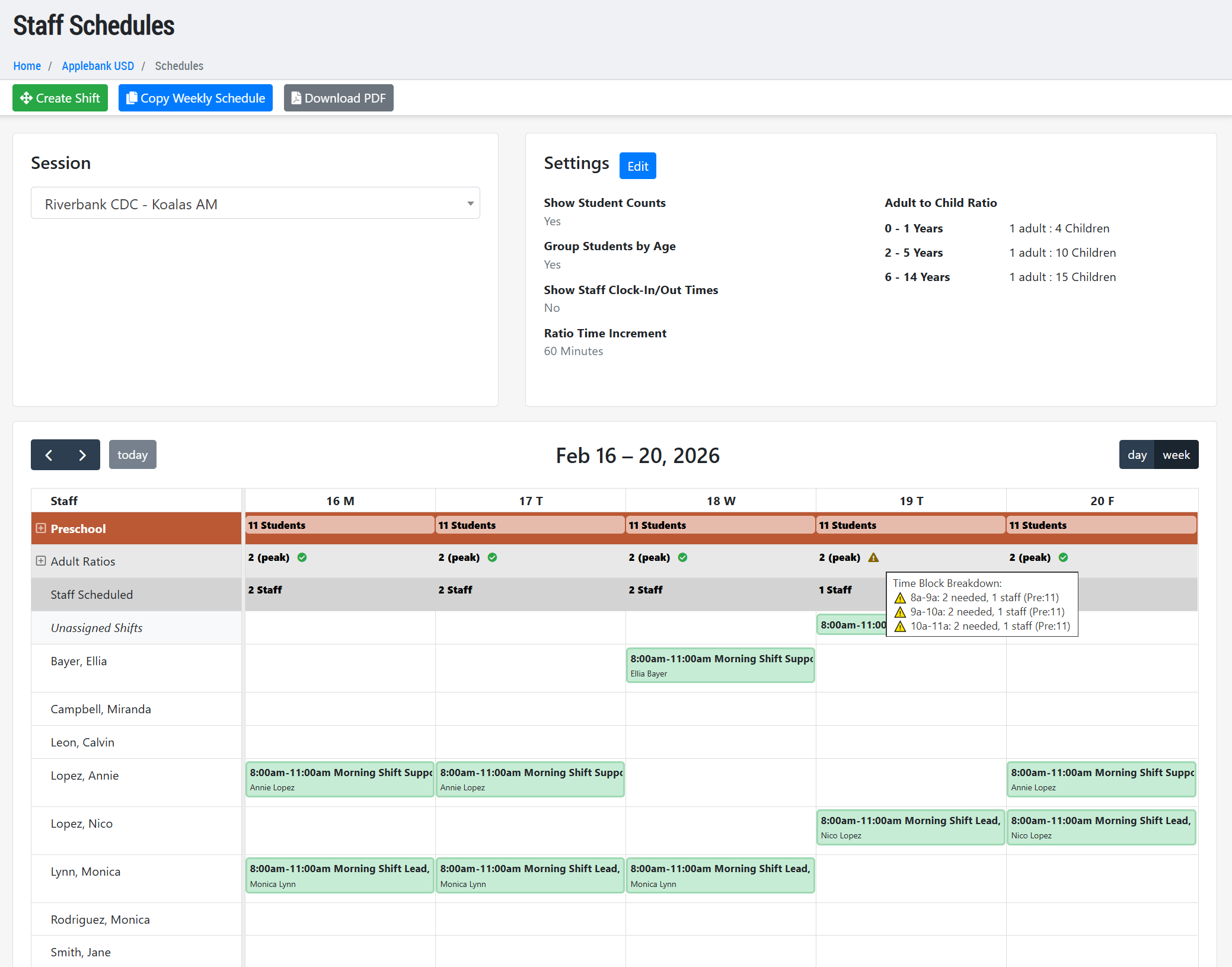
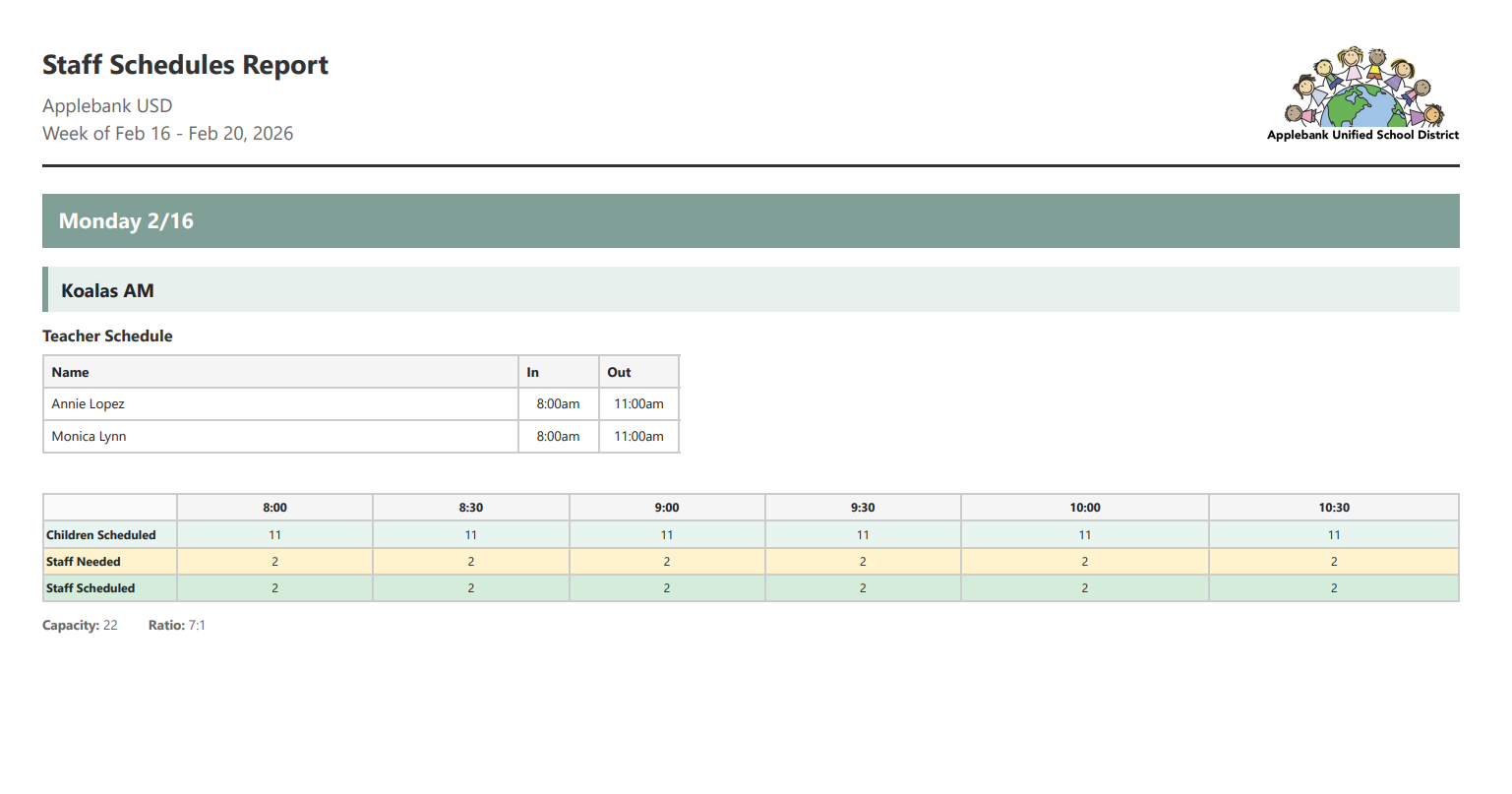
- We are excited to introduce the new Staff Scheduler feature in Hubbe. This record is available at the agency, site, and session levels and allows users to create shifts for staff assigned to each session. The system displays staff based on the following role assignments:
- Site Roles - Assigned to the site where the session lives:
- General Site Staff
- Site Admin
- Site Supervisor
- Site Viewer
- Session Roles - Assigned to the selected session:
- Session Admin
- Lead Teacher
- Teacher
- Attendance Manager
- Instructional Assistant
- Session Viewer
- Site Roles - Assigned to the site where the session lives:
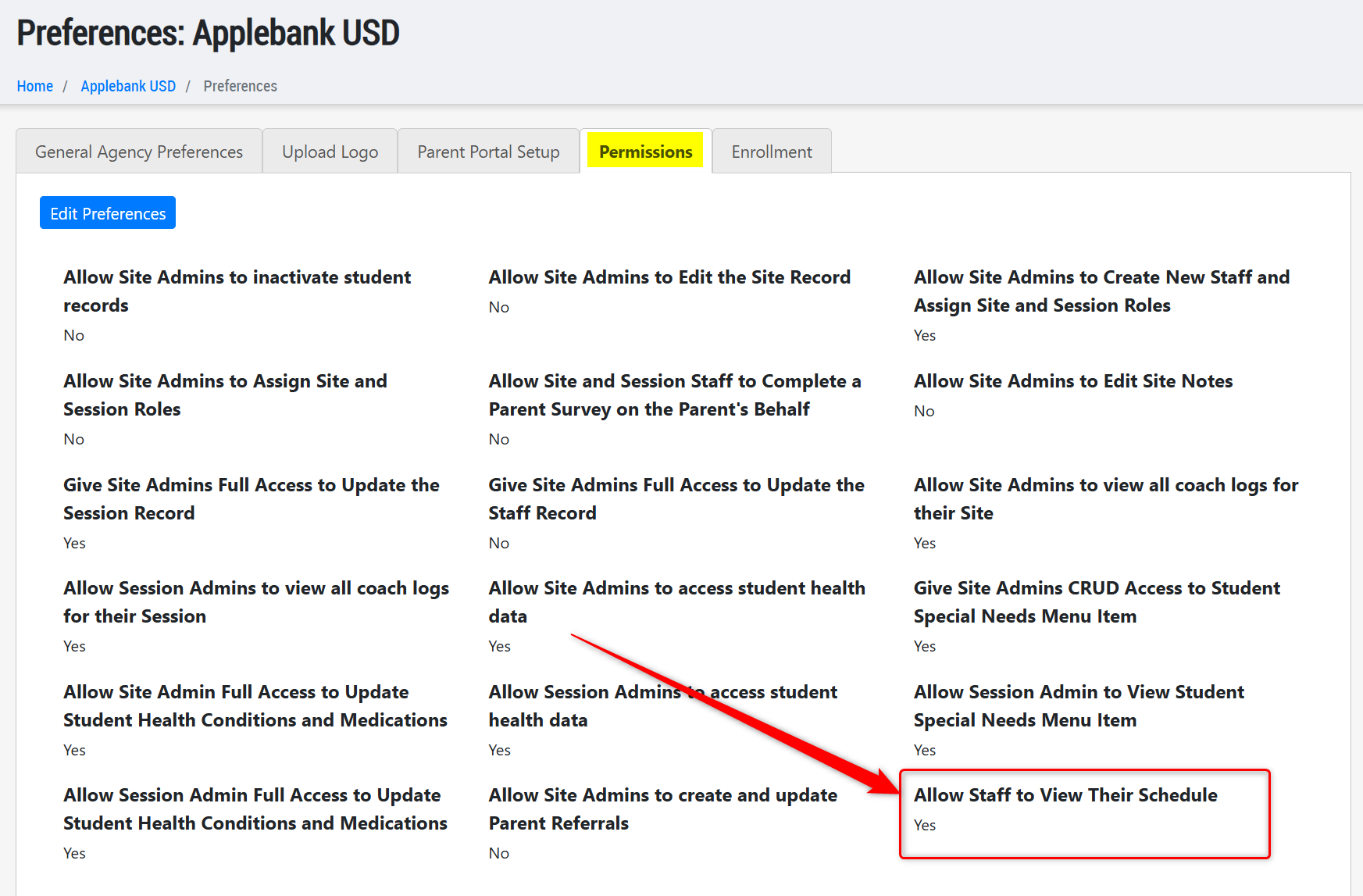
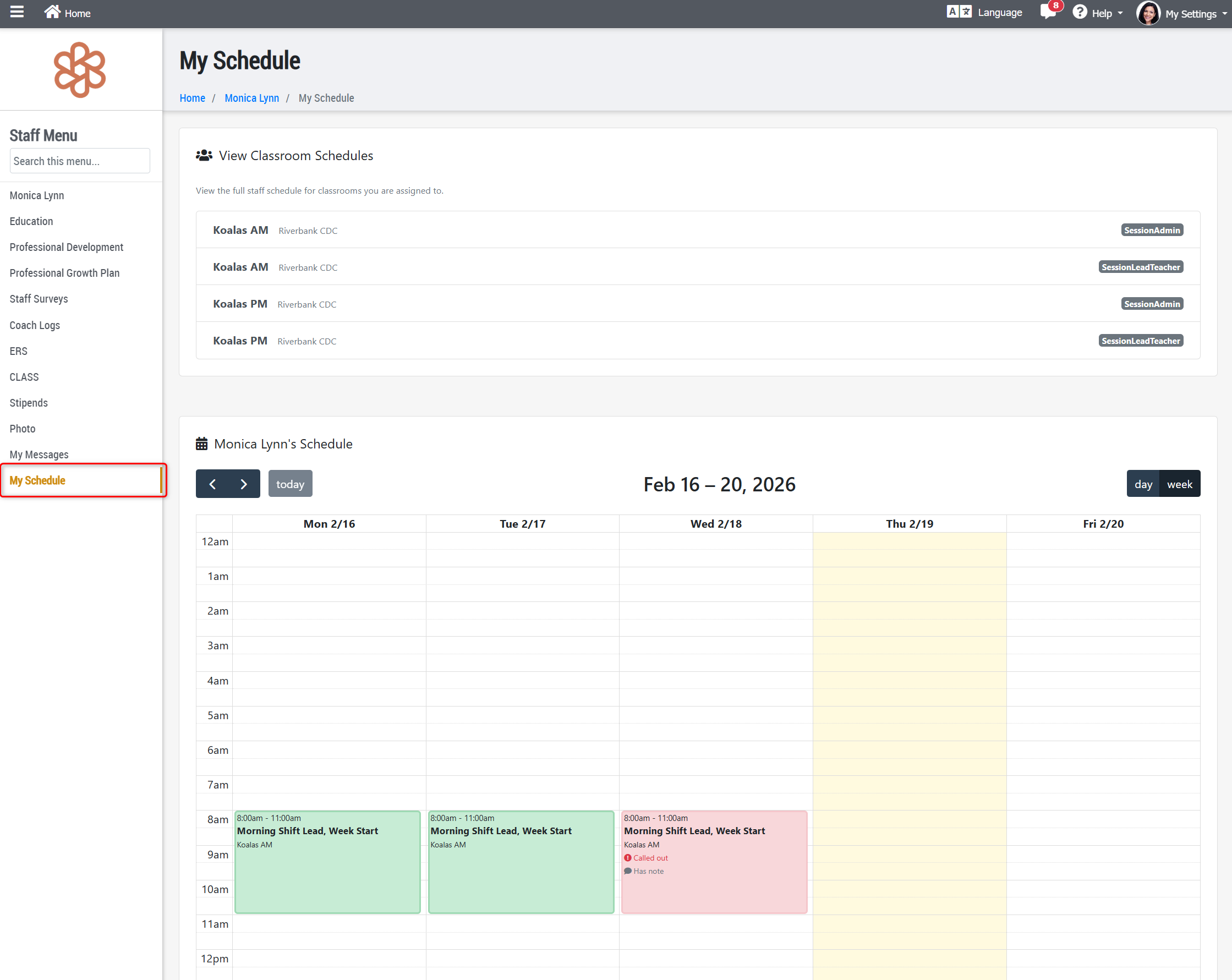
- A new Agency Preference allows users to determine whether site and session staff can view their schedules within their staff records. When enabled, staff can view their assigned shifts and mark a shift as "Called Out Sick" with an accompanying note.
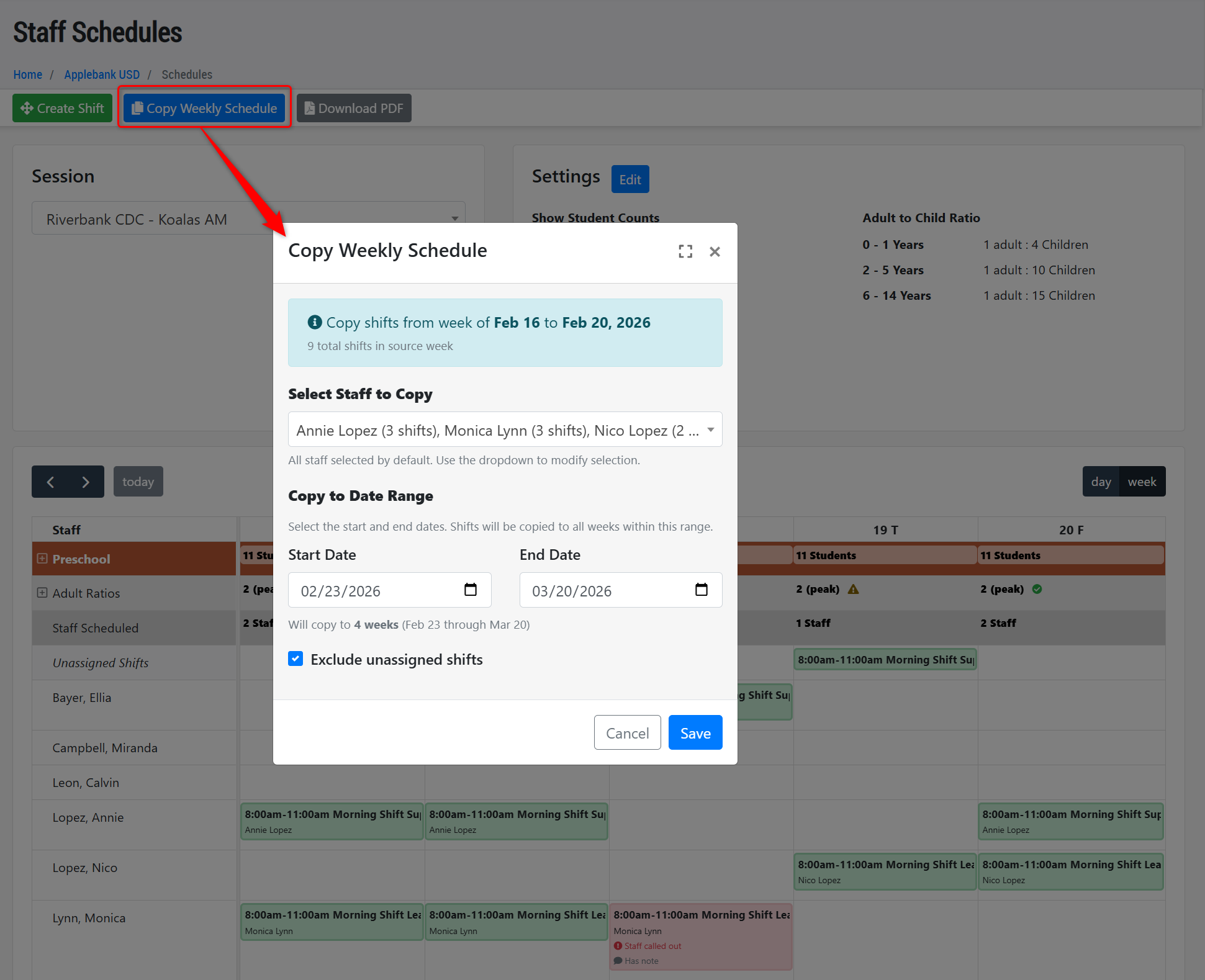
- The Staff Scheduler includes tools that help teams schedule staff efficiently, including Adult:Child ratios by age group and a "Copy Weekly Schedule" feature that carries a selected week’s schedule into future week(s) for selected staff. Users can also download weekly session staff schedules.
- We are also developing a "Time-In/Out" feature for staff. We will integrate this feature into the Staff
Scheduler in a future release.
Attendance Enhancements
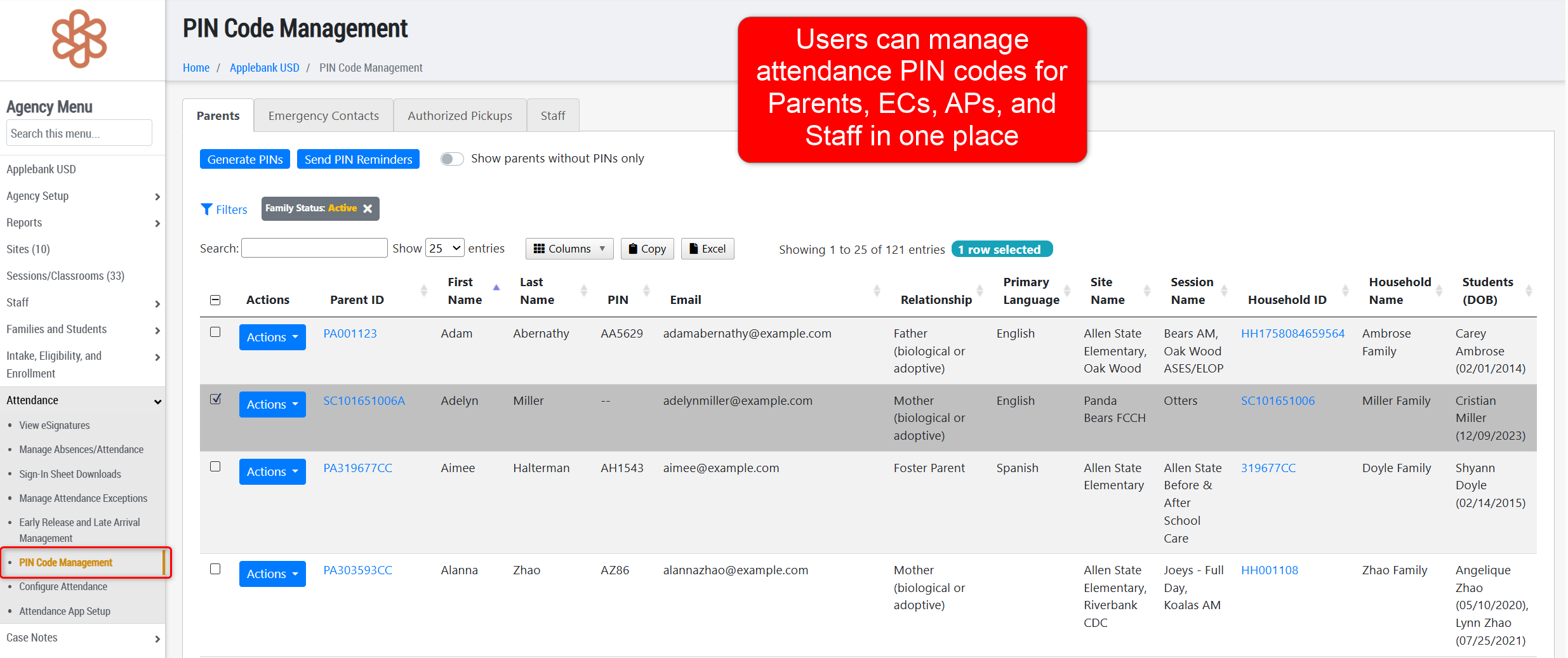
- We created a new "PIN Code Management" record within the Attendance submenu at the agency and site levels. This record allows users to generate, reset, and email PIN codes for Parents, Emergency Contacts, Authorized Pickups, and Staff. Individuals use their PIN codes to access the eSignature Attendance Portal and Hubbe Attendance App to sign children in and out.
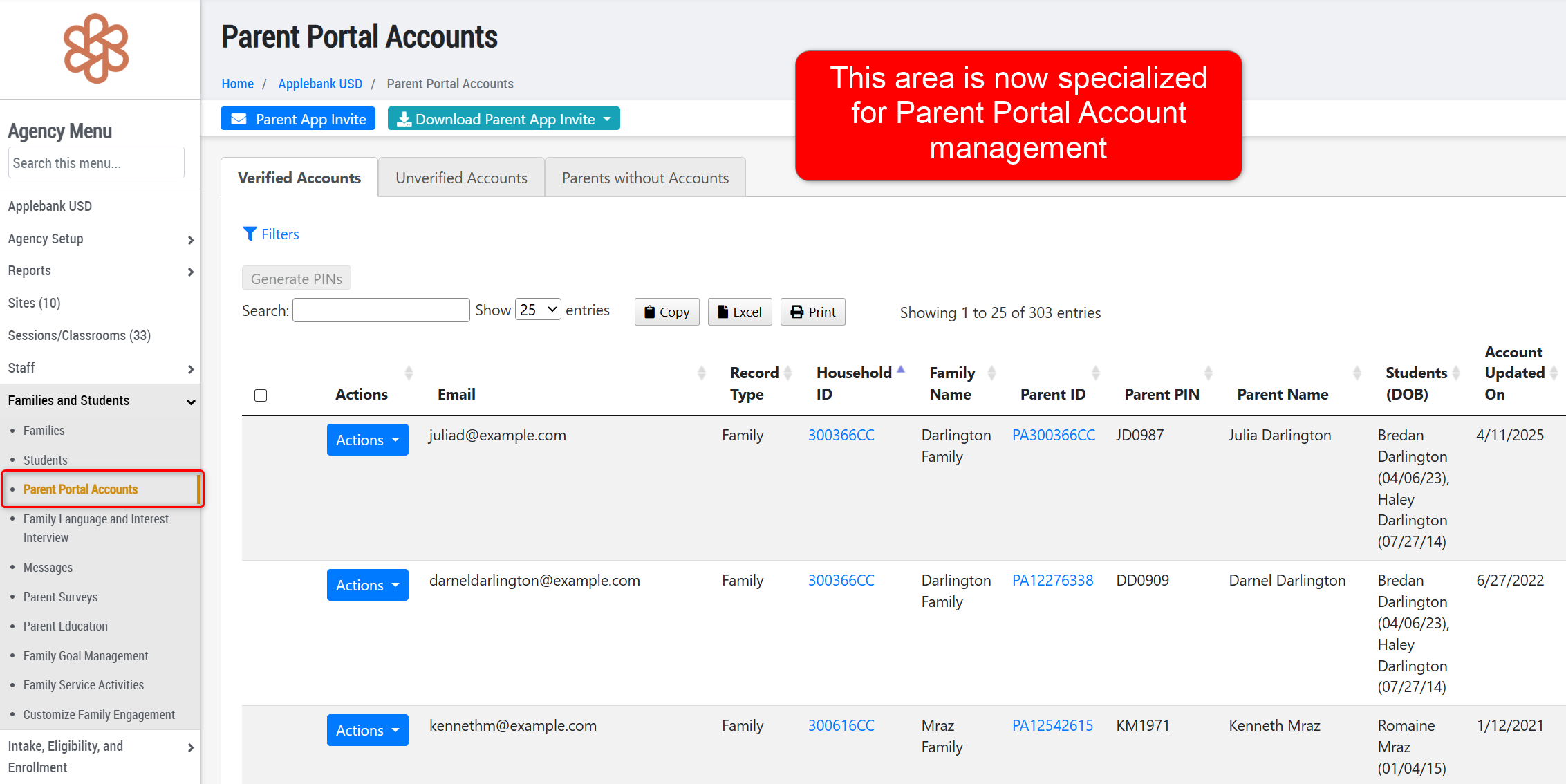
- We renamed the "Account and PIN Management" record to "Parent Portal Accounts." This record now includes only three tabs: Parents without Accounts, Unverified Accounts, and Verified Accounts.
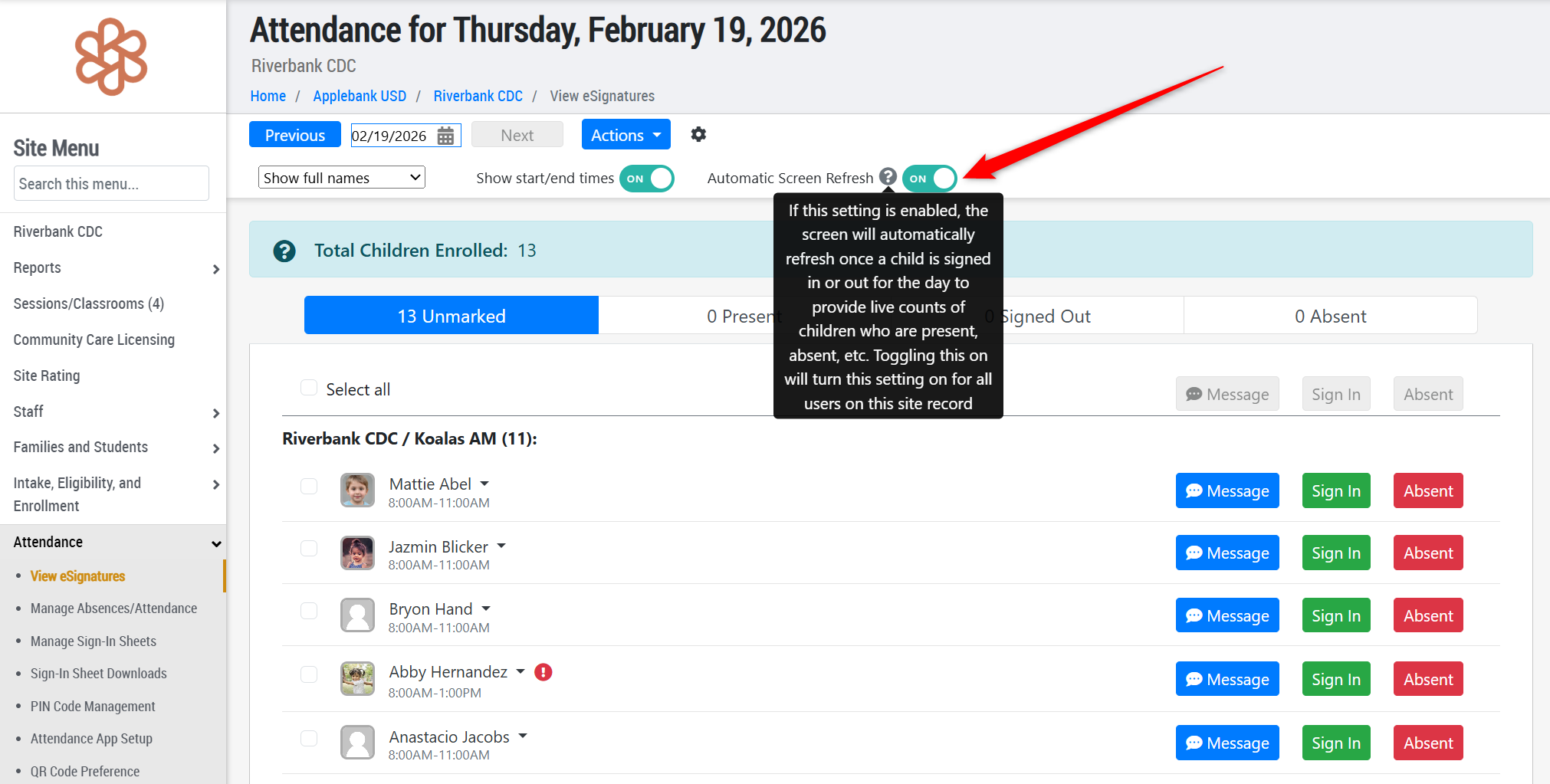
- We added an "Automatic Screen Refresh" setting to the eSignature Attendance/View eSignatures record at the agency, site, and session levels. When enabled, the system automatically updates attendance activity in real time. When disabled, users must manually refresh the page to view updates. This setting is specific to each entity (agency, site, or session) so it can be turned off for a specific site or session, while remaining on for all other sites and sessions. Please see below for further details on how this setting works:
- When this setting is turned ON, users will automatically see live updates on this page when children are signed in/out or marked absent without needing to refresh the page.
- When this setting is turned OFF, users must manually refresh the page to see updates to a child's attendance status for the day.
- We enhanced Site and Session level Sign-In Sheet Downloads and introduced "Semi-Monthly Sign-In Templates." We also updated download titles and expanded site-level download options.
- Semi-Monthly Sign-In Templates - This PDF download is the same as the "Sign-In Sheets for FCCHEN Programs" download (available in the "Monthly Sign-In Sheets Template" card), but contains half of the month on a page. The "Receive By" field at the top of this download will be 5 days after the last day on that page. For example, the February 2025 download will have two pages for each child: the first with rows for days 1-15 and a "Receive By" date of 2/20/2026, and the second page with rows 16-28 and a "Receive By" date of 3/5/2026.
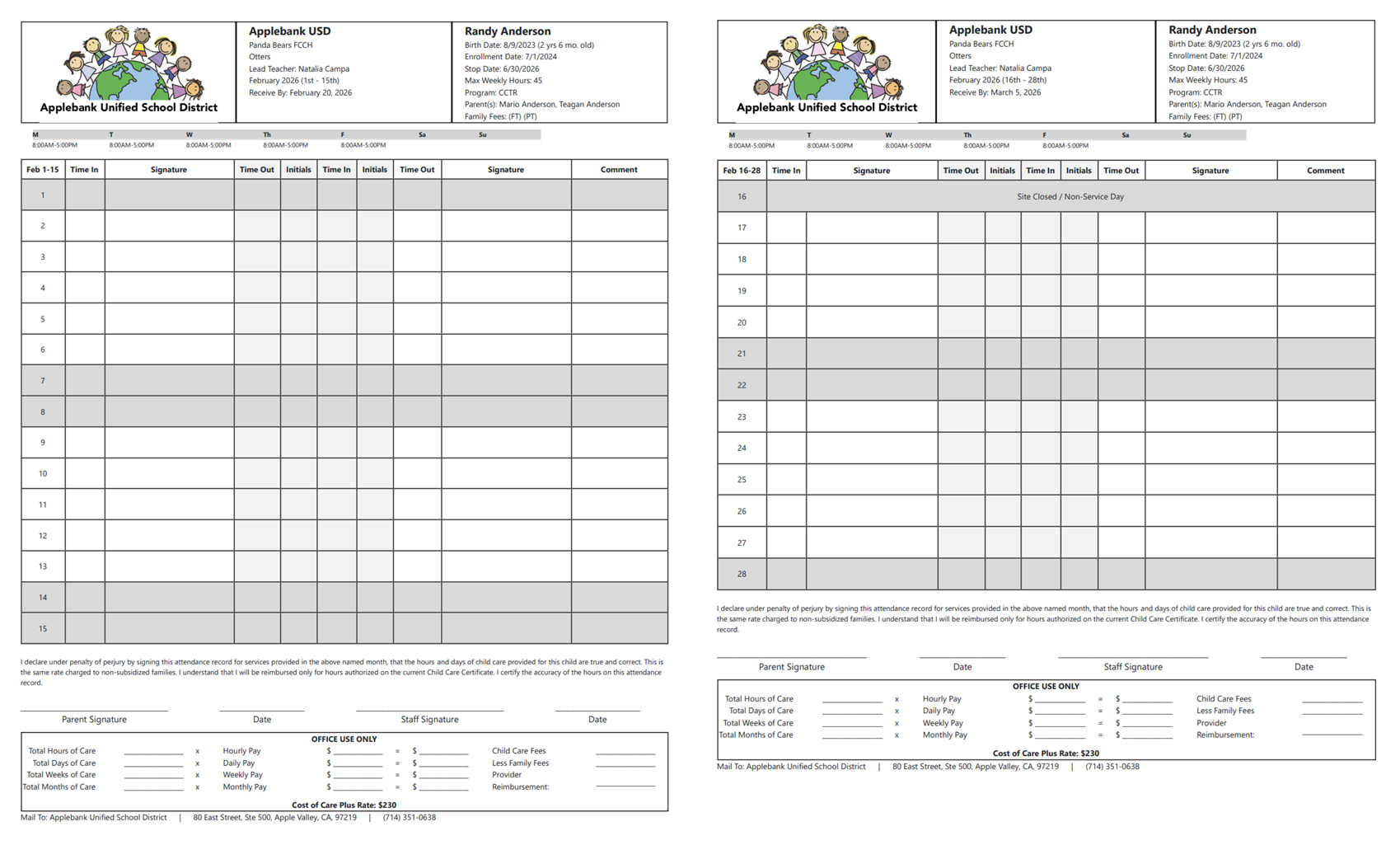
- Updated the titles of the available downloads, as follows:
- Monthly Sign-In/Out Template -> Monthly Sign-In Sheets Template
- Monthly Sign-In/Out with eSignatures -> Monthly Sign-In Sheets with eSignatures
- Daily Sign-In/Out Template ->Daily Sign-In Sheets Template
- Within the drop-down options for "AP-Funded" downloads, we have re-titled each of these options to "FCCHEN Programs"
- Created a new menu item at the site-level for "Sign-In Sheet Downloads." Previously, there was only a monthly sign-in template download on the site record, so we have moved this to the new menu item and added many new download options not previously available at the site-level including:
- Monthly Sign-In Sheets Template
- Monthly Sign-In Sheets with eSignatures
- Semi-Monthly Sign-In Template
- Daily Sign-In Sheets Template
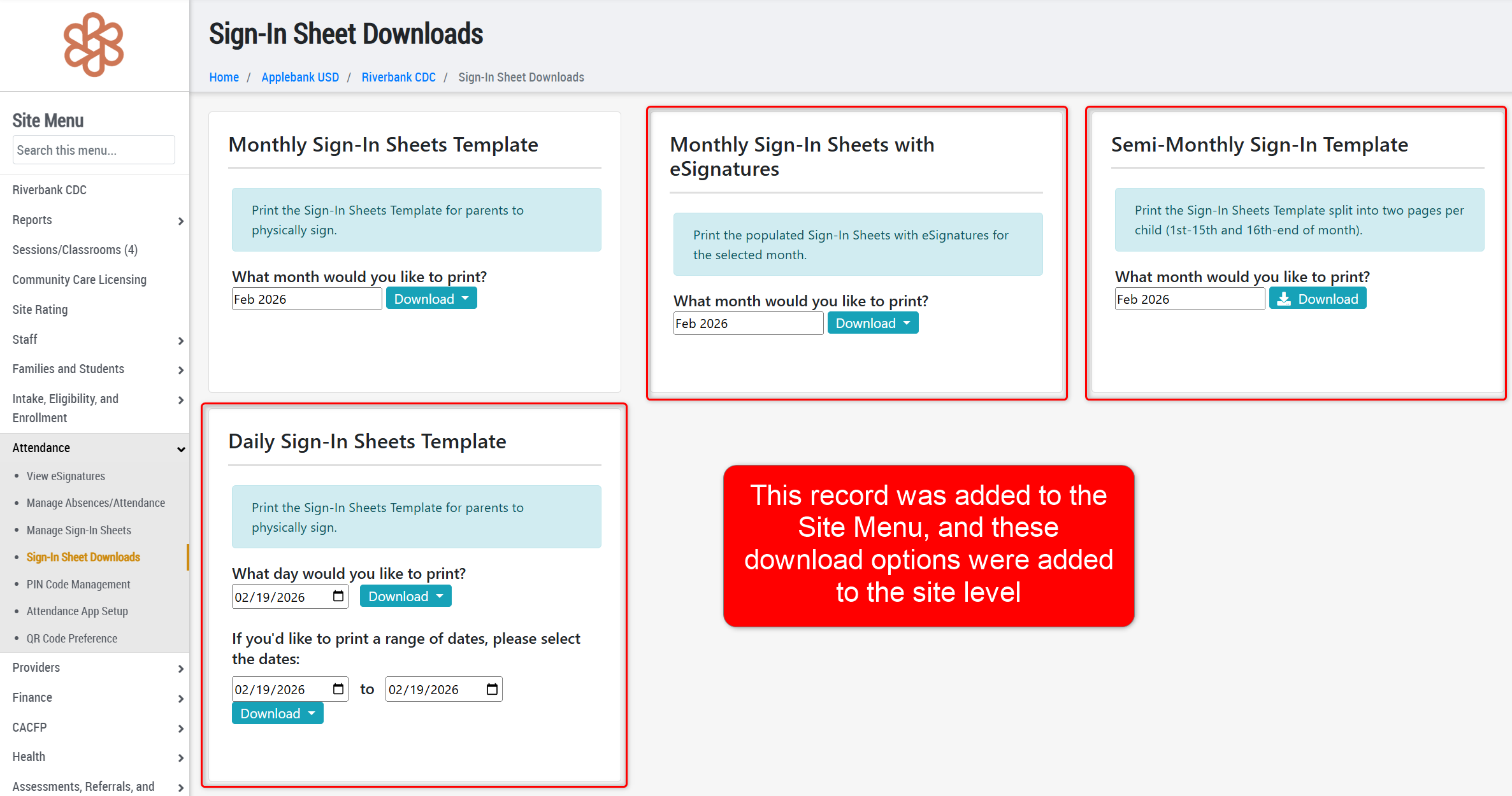
- Semi-Monthly Sign-In Templates - This PDF download is the same as the "Sign-In Sheets for FCCHEN Programs" download (available in the "Monthly Sign-In Sheets Template" card), but contains half of the month on a page. The "Receive By" field at the top of this download will be 5 days after the last day on that page. For example, the February 2025 download will have two pages for each child: the first with rows for days 1-15 and a "Receive By" date of 2/20/2026, and the second page with rows 16-28 and a "Receive By" date of 3/5/2026.
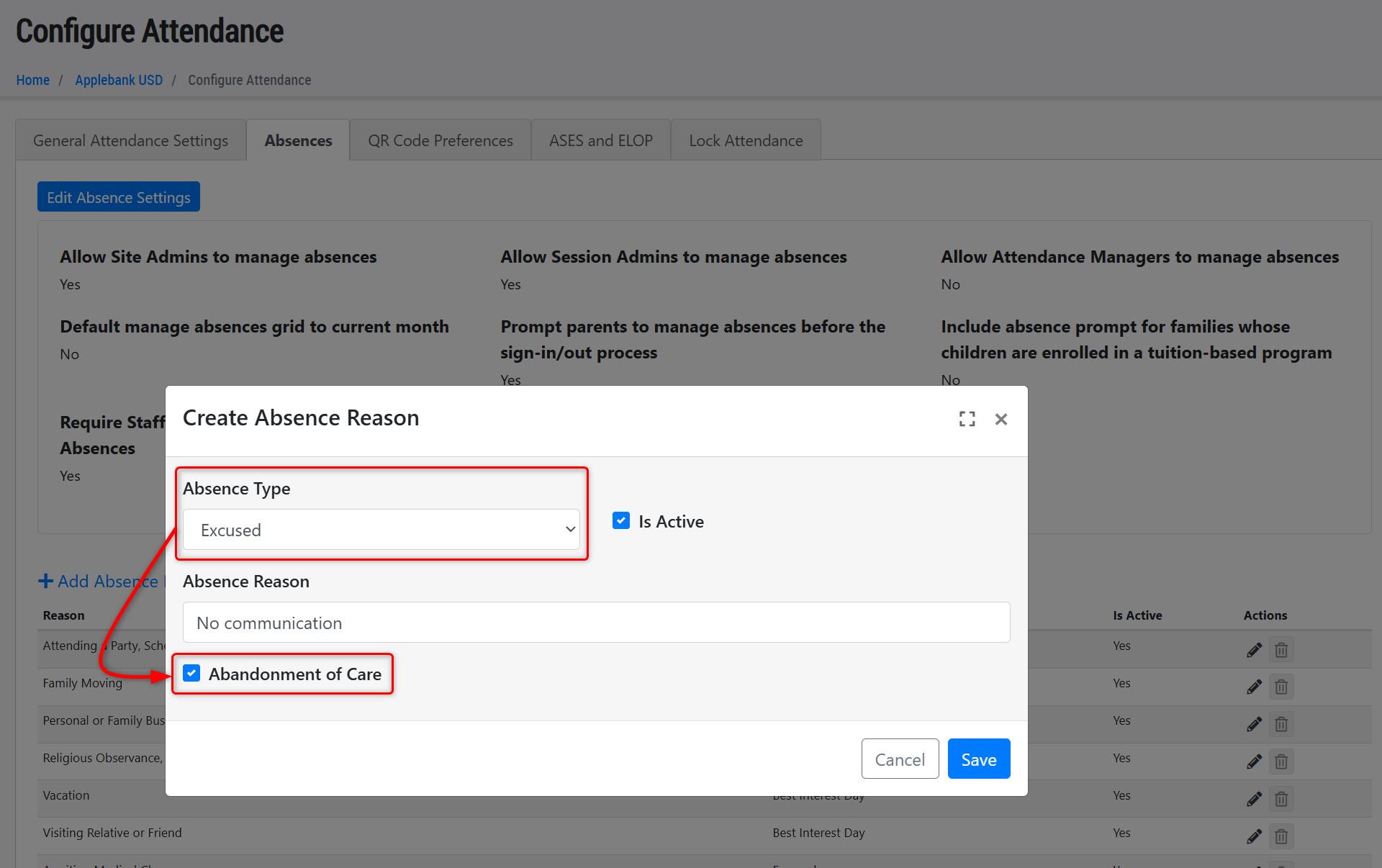
- We added the "Abandonment of Care" checkbox to Excused absence reasons. The system now includes absences flagged as Abandonment of Care in reporting, including in the Chronic Absences Report, based on updated CCB guidance (CCB NO. 26-02) which states the following:
- A child care and development contractor can claim attendance for days that the contractor/provider is required to hold a space for a child during the period that a family is assumed to have 'abandoned care' or is engaging in the appeal process based on disenrollment for abandoning care.
- Contractors under CDSS can now flag an "Excused" absence reason as abandonment of care and those absences will then be considered as days of attendance in reporting. Note that this does not apply to CSPP contractors.
- In the Chronic Absences Report, any absence flagged as "Abandonment of Care" will be included in the consecutive calendar day count for Abandonment of Care - including any Unexcused or Excused absence flagged as such. To flag an Absence Reason as Abandonment of care, navigate to: Agency Menu > Attendance > Configure Attendance > "Absences" tab.
We have also made a minor update to the logic of the "Abandonment of Care" column in the Chronic Absences Report to ensure the day count does not begin until there has been an absence processed as "Abandonment of Care" - then following that day, the system will include any unmarked days, unprocessed absences, non-operational days (such as the weekends), and any additional "Abonnement of Care" absences in the cumulative day count.
Coach Log Enhancements
- We updated the Coach Log record to better align with Services and Interventions for children and to improve usability. These Coach Log enhancements will allow agencies with Mental Health Advisors/Coordinators to document Early Childhood Mental Health Consultation visits. Assign the "Education Specialist" role to these staff to provide access to this record.
- Simplified the Create Coach Log modal to include only Date, Start Time/End Time, Facilitator, and Attendees & Organizational Impact.
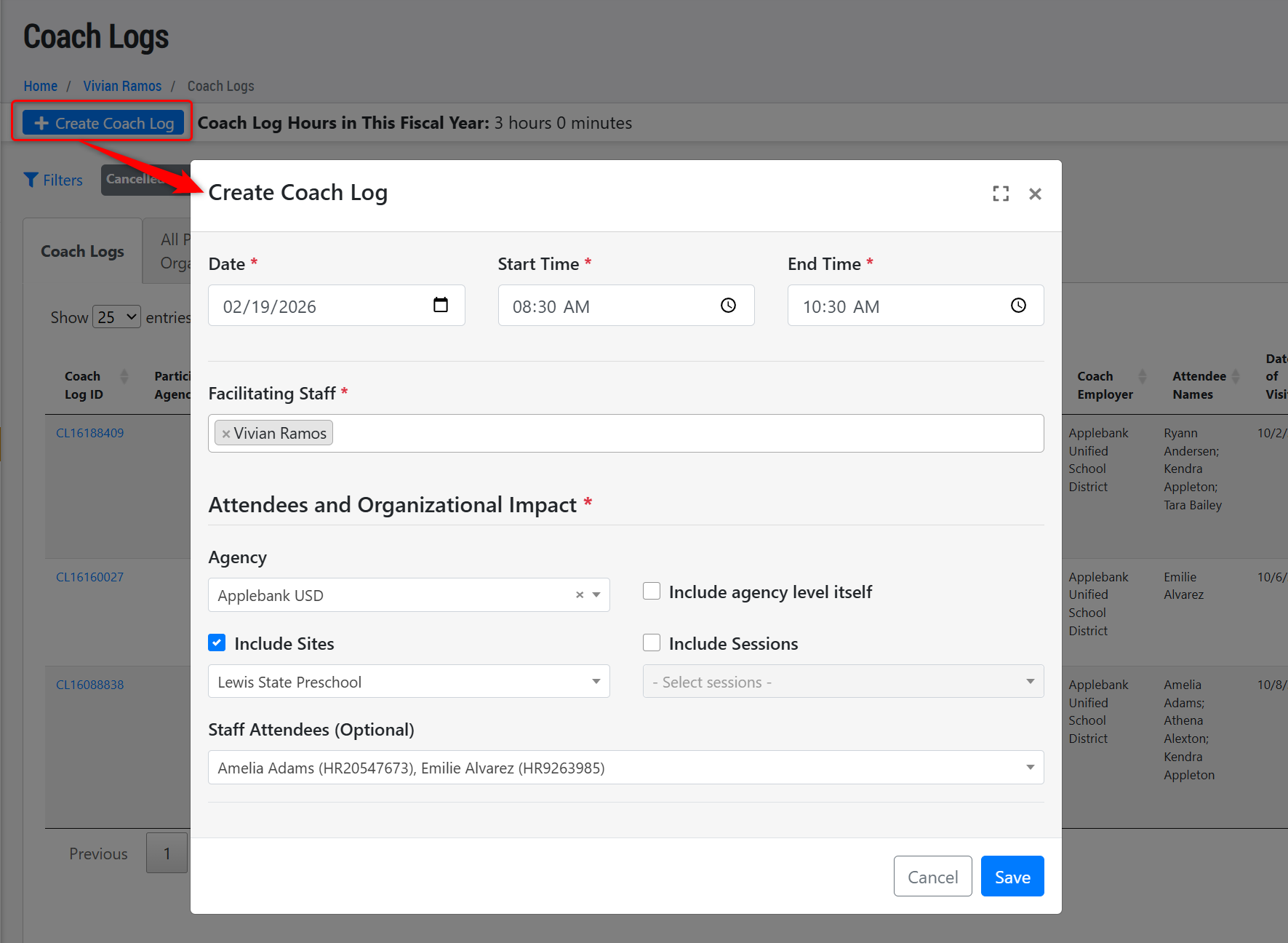
- Converted each section into its own Edit modal with automatic saving.
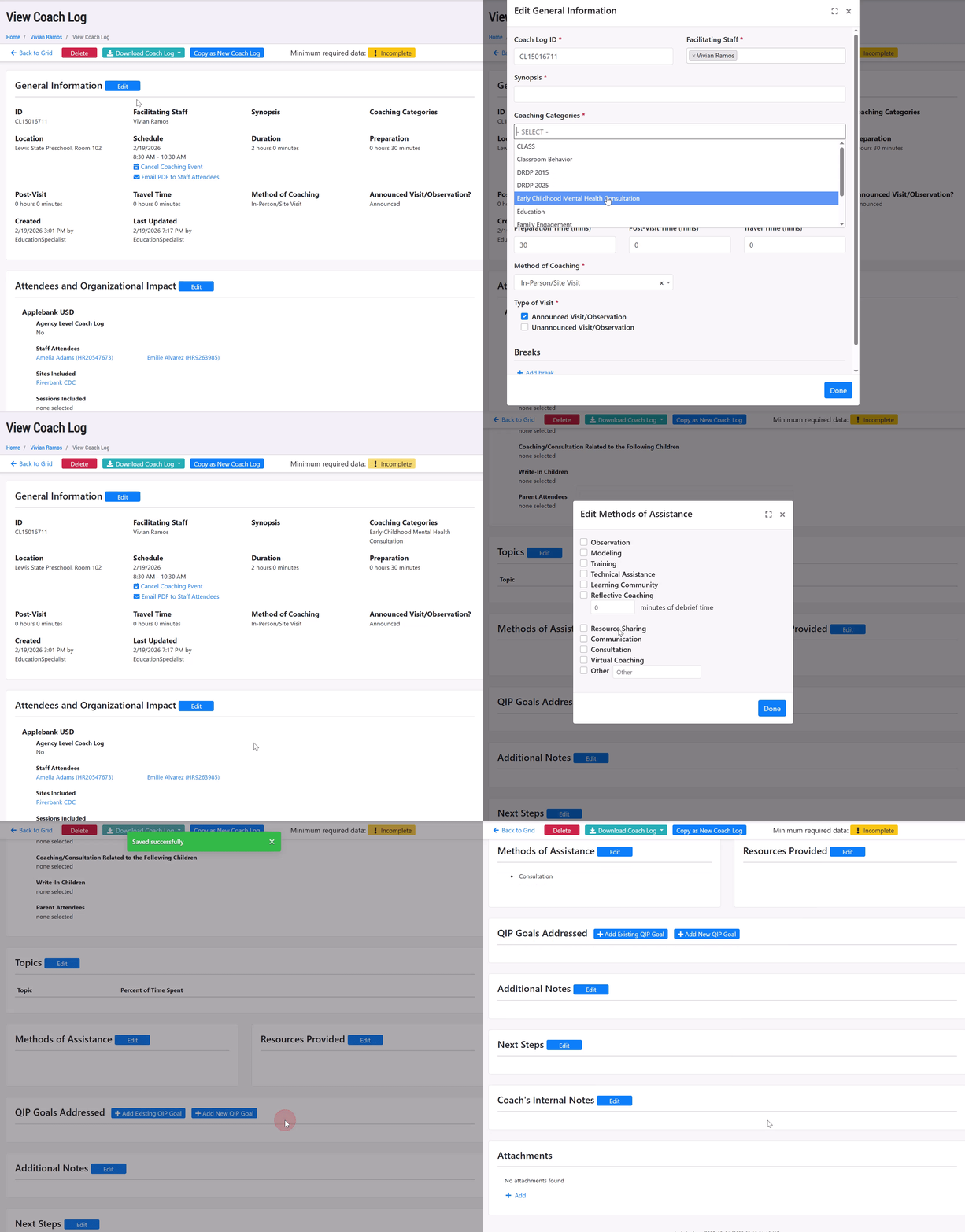
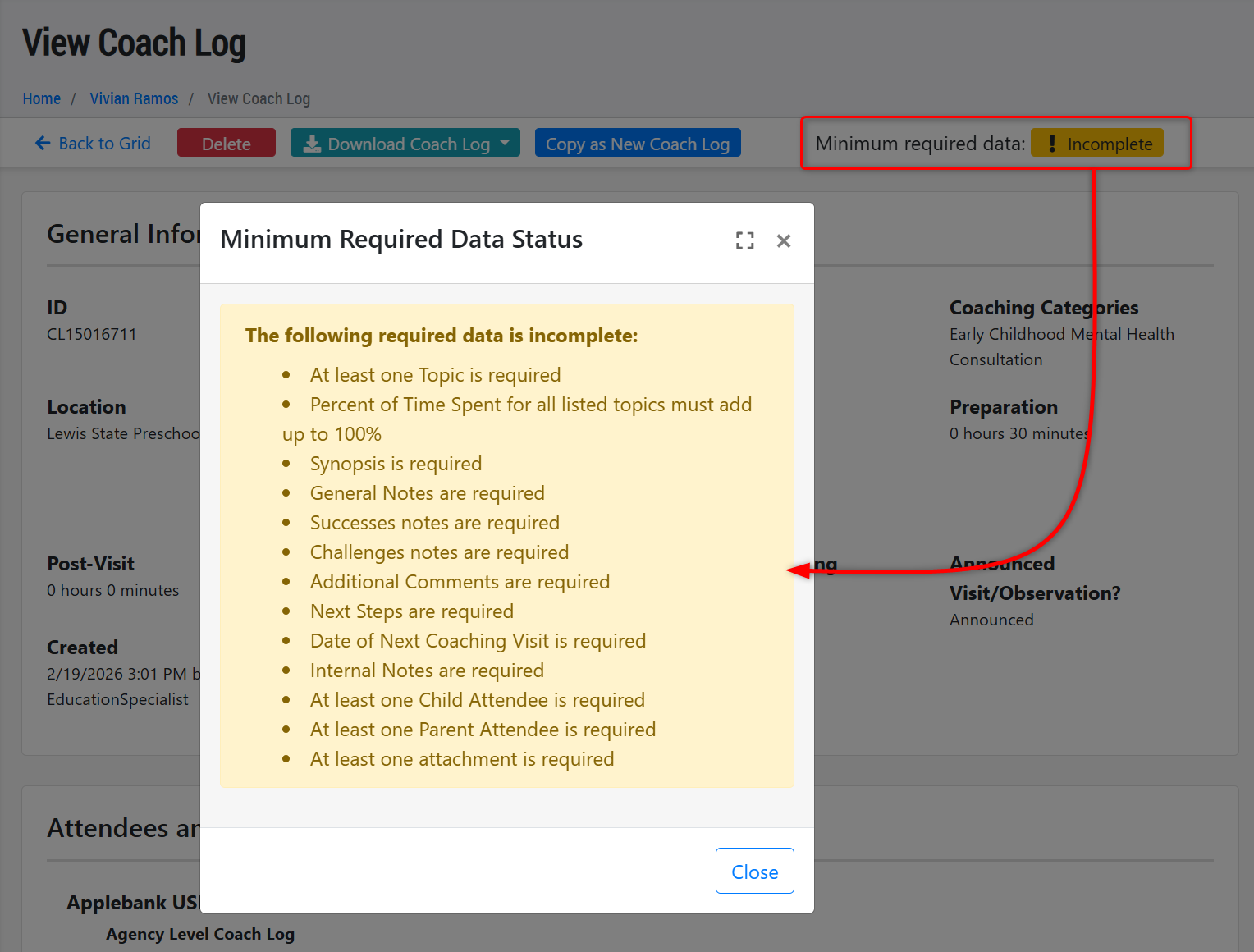
- On the view page where each section now has its own "Edit" button, there will also be the "Minimum required date" badge that shows "Incomplete" or "Complete" as the record's status.
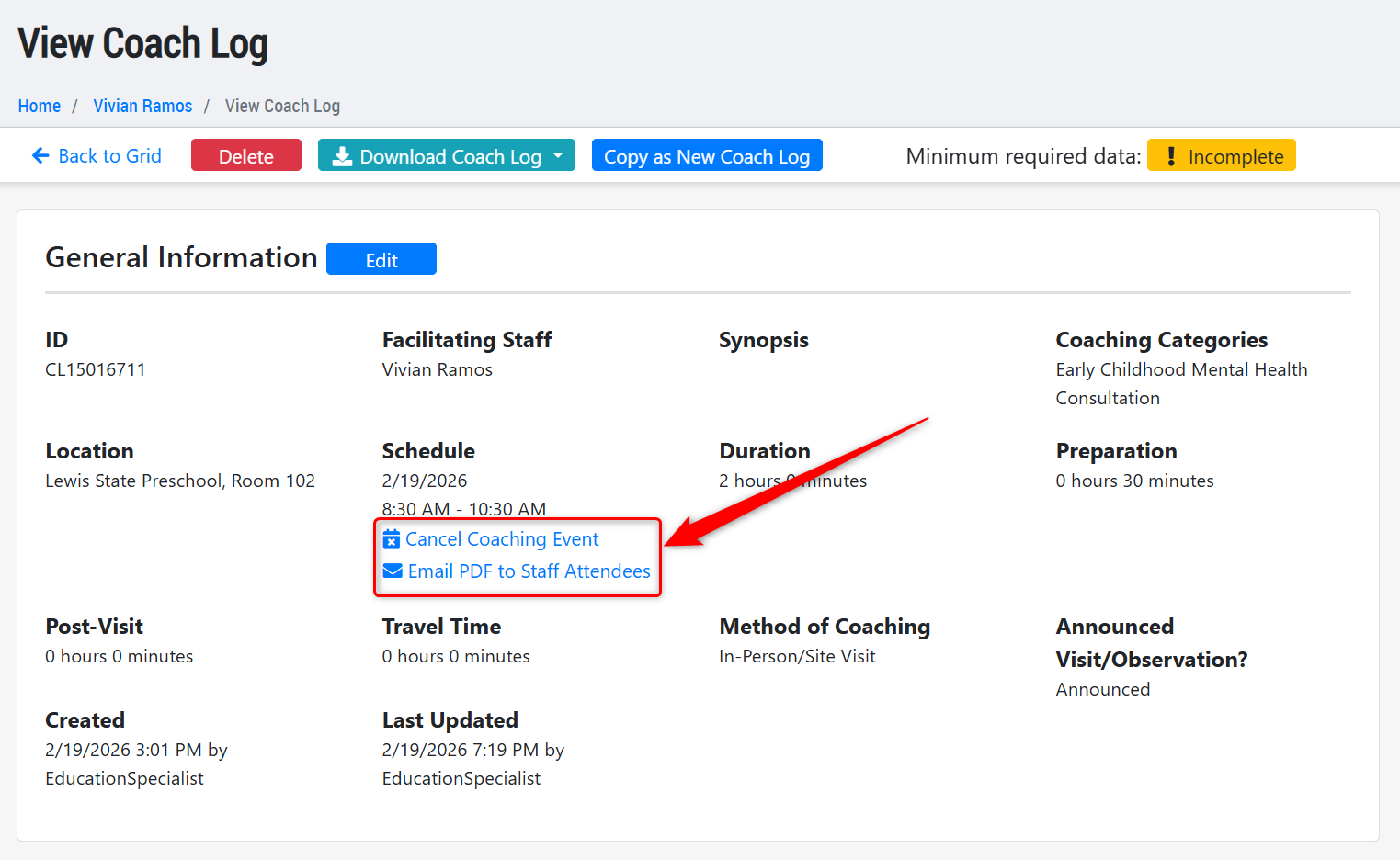
- Moved the "Cancel Coaching Event" and "Email PDF to Staff Attendees" options below the Schedule date.
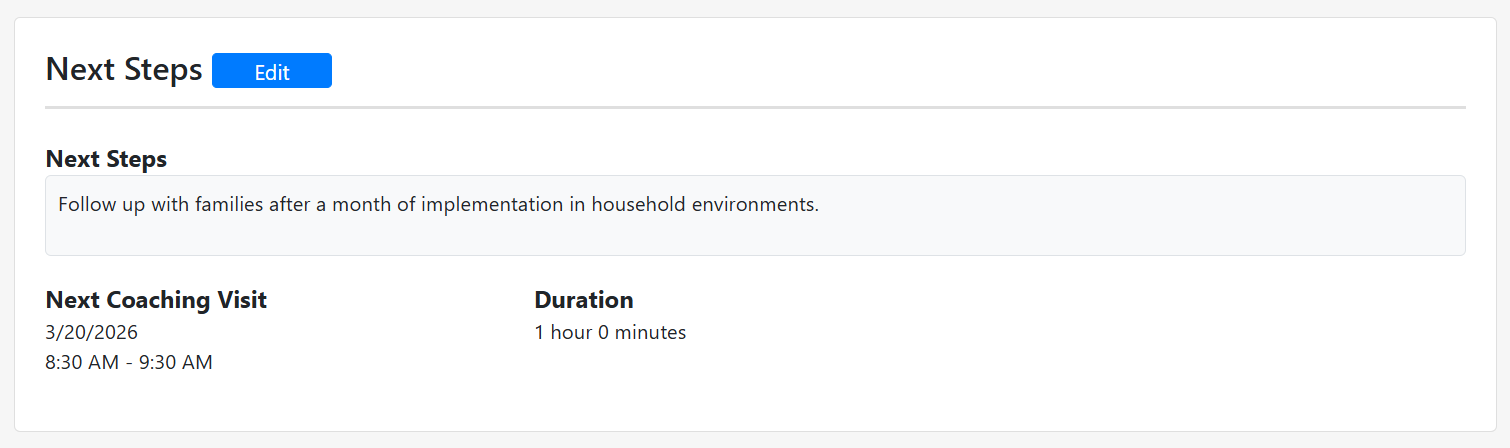
- Renamed "Future Activities" to "Next Steps." This section will still include a notes field and Next Visit Date/Time.
- Combined multiple note sections into "Additional Notes," including: General Notes, Successes, Challenges, Additional Comments.
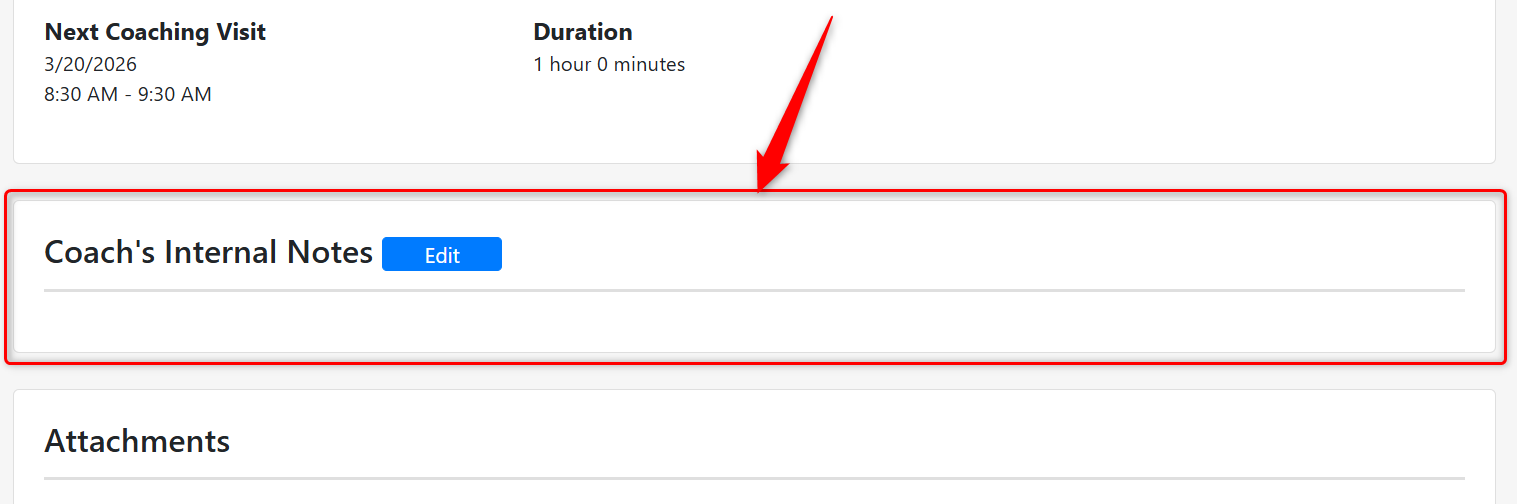
- Added a "Coach’s Internal Notes" section visible only to the facilitating staff member.
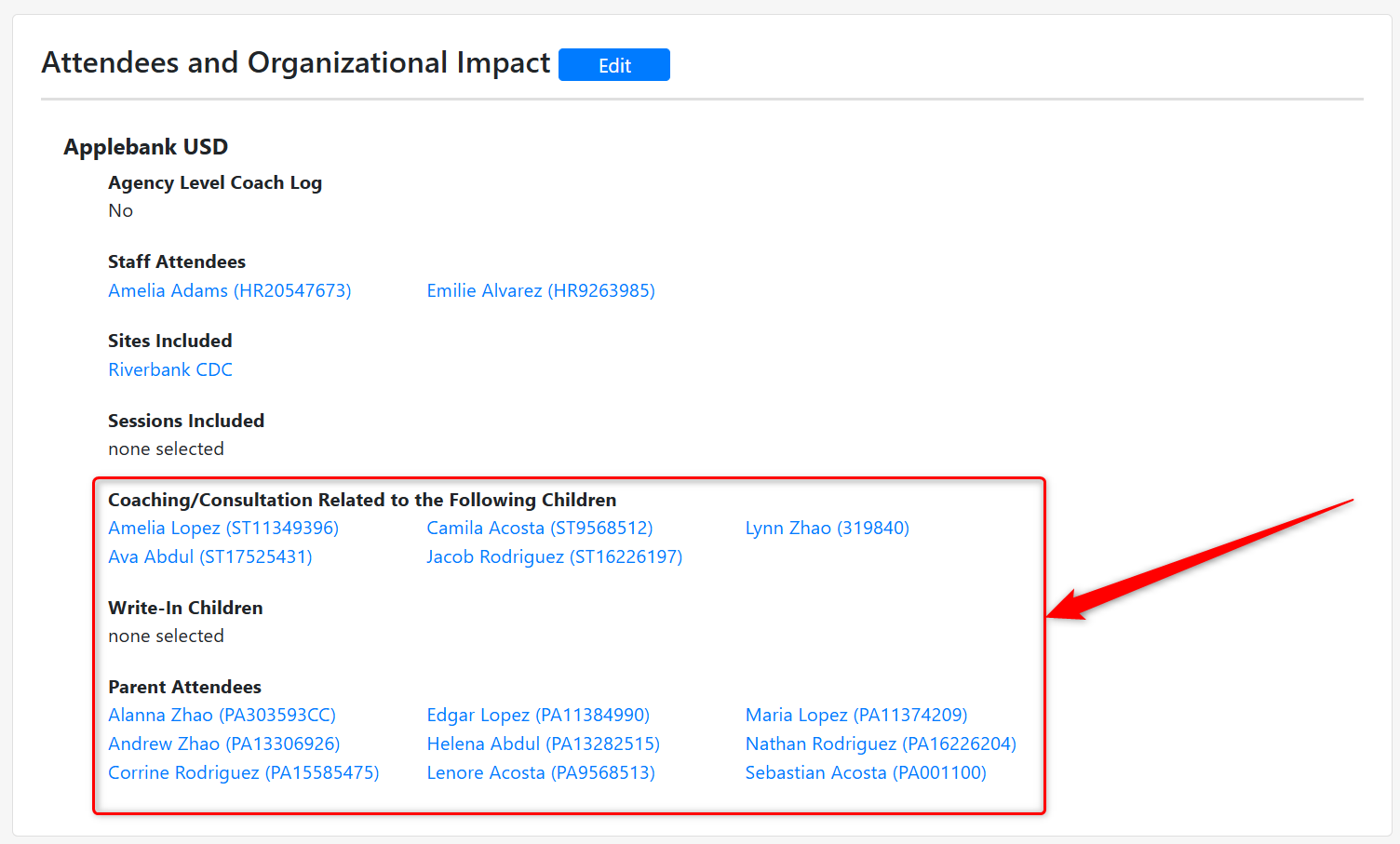
- Added Children and Parent fields to Attendees and Organizational Impact. This will allow users to tag children and/or parents in Coach Logs that are invested in mental health consultation services. The new fields include:
- Coaching/Consultation Related to the Following Children - The selections under "Sites Included" or "Sessions Included" influence the children that show in this list. If no sites or sessions are selected, all children at the agency will appear in the drop-down.
- Write-In Children - This option allows users to add children who are not already created in the linked agency, site, or session as related to the Coach Log.
- Parent Attendees - This field will only display parents of children selected in the "Coaching/Consultation Related to the Following Children" field above. If no children have been selected, then no parents will appear.
- Removed the Matrix Element field from newly created Coach Logs, since coaching is no longer included in the Site Rating Matrix.
- Simplified the Create Coach Log modal to include only Date, Start Time/End Time, Facilitator, and Attendees & Organizational Impact.
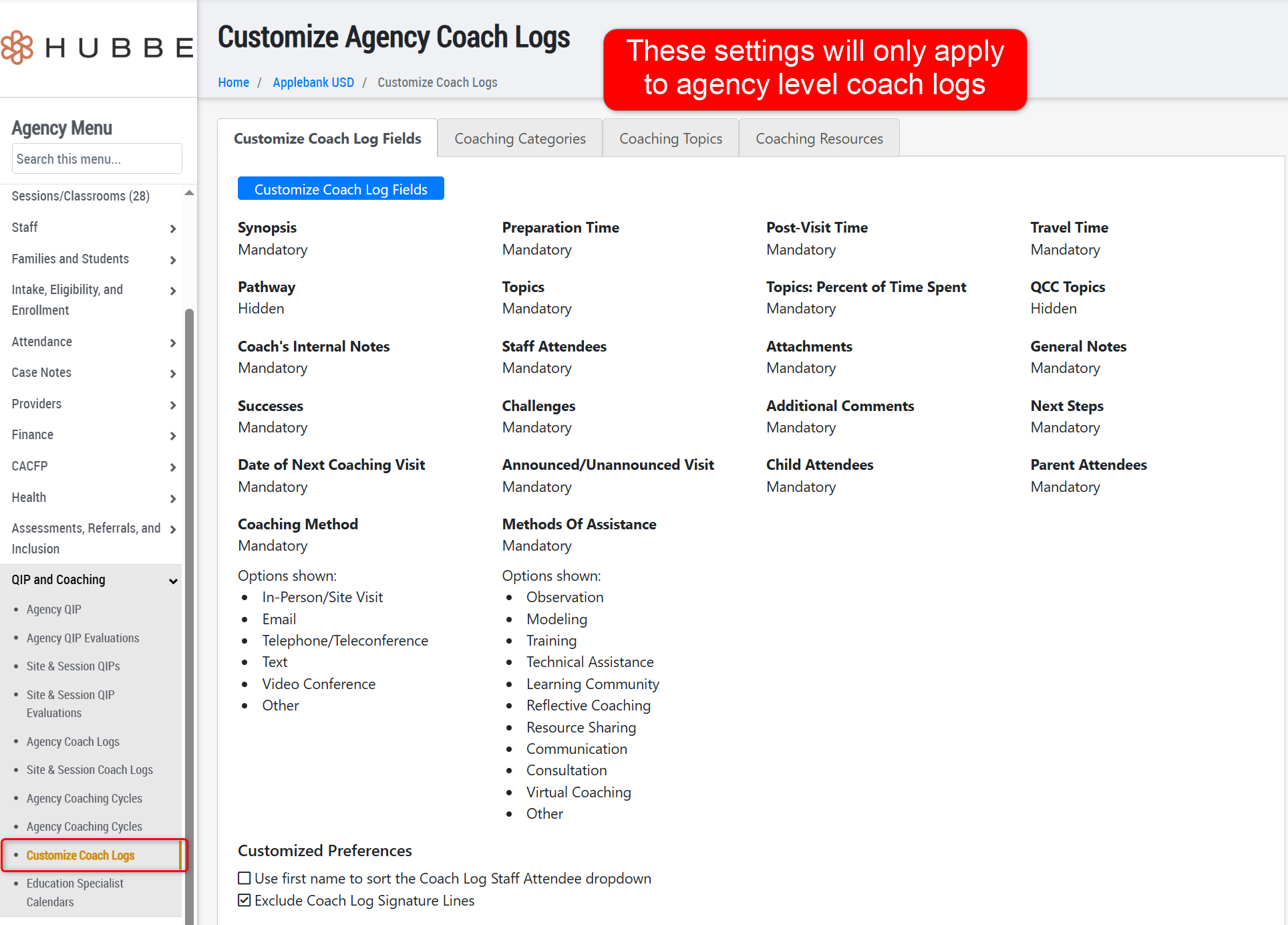
- We have also created a new menu item in Agency Menu > QIP and Coaching > Customize Coach Logs. This new area allows agency users with the role of Agency Admin to customize the settings, categories, topics, and resources for agency-level Coach Log records. These settings will be independent from any county-level Coach Log settings for county users.
Head Start Enhancements
- We implemented the 2026 HHS Poverty Guidelines. The system now applies the 2026 guidelines when calculating Head Start Income Eligibility and Poverty Level percentages in the Family Application and Head Start Enrollment features.
Family Application Enhancements
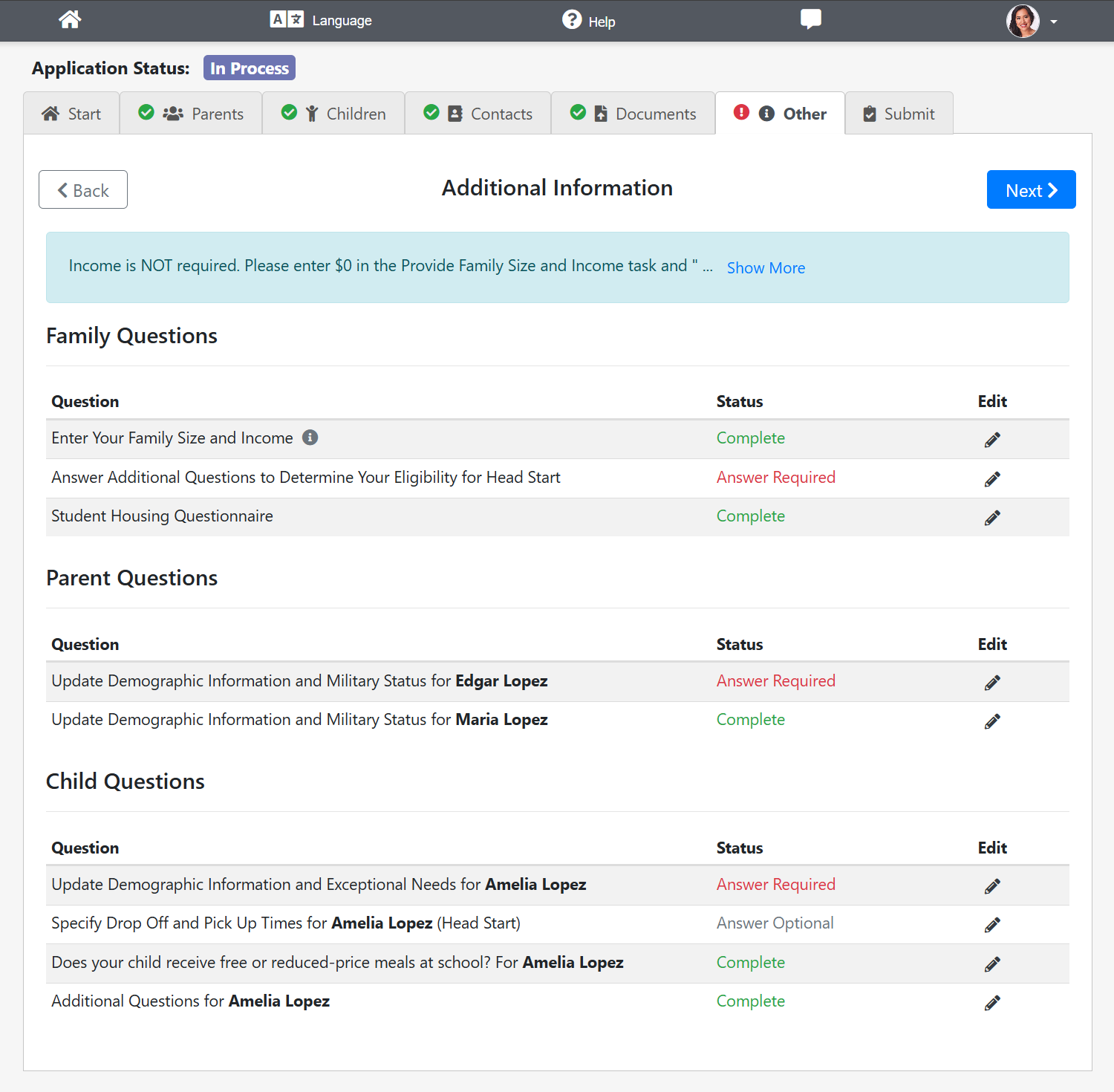
- We reorganized the "Other" tab within the application portal to group additional questions under Family Information, Parent Information, and Child Information. Each question now displays a status of Answer Required, Answer Optional, or Completed.
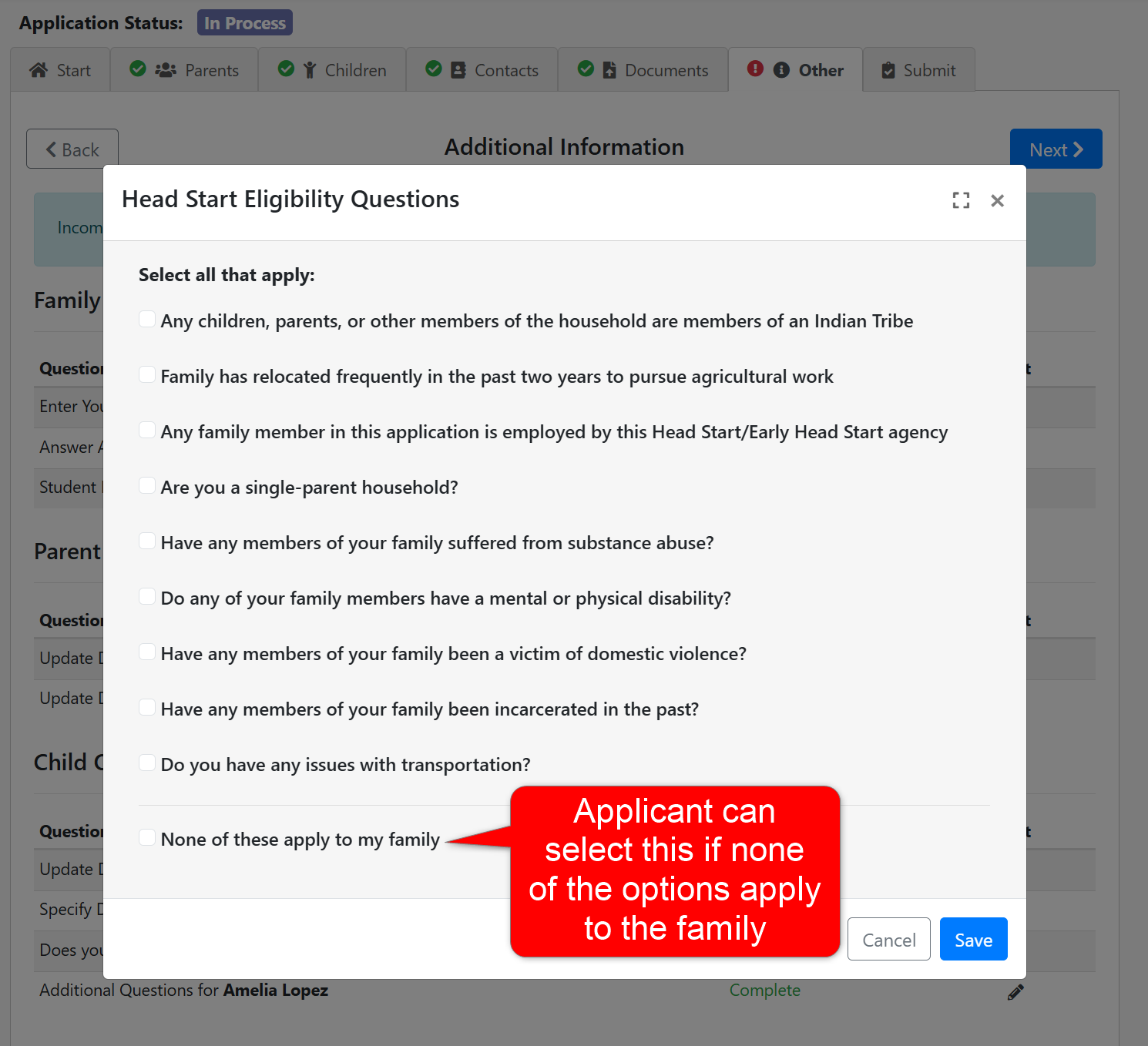
- For Head Start programs with selection criteria, we added a "None of these apply" option to custom criteria selection screen.
- We updated the Applications and Waitlist grid to display only "Child Ages" of children applying and improved overall grid performance and reliability.
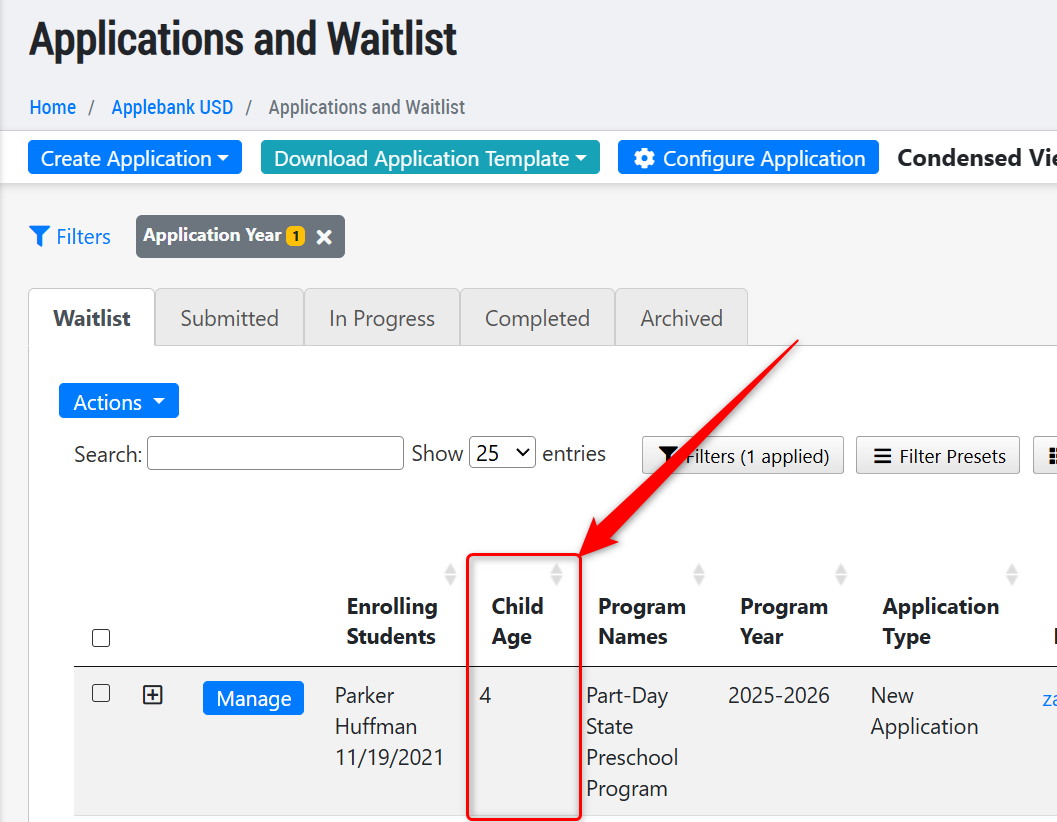
- Implemented many updates and fixes to the Applications and Waitlist grid to ensure all column values, filters, filter presets, actions, and other tools are operating as intended. We have also improved the grid to load faster for users when loading this page.
Provider Invoicing Enhancements
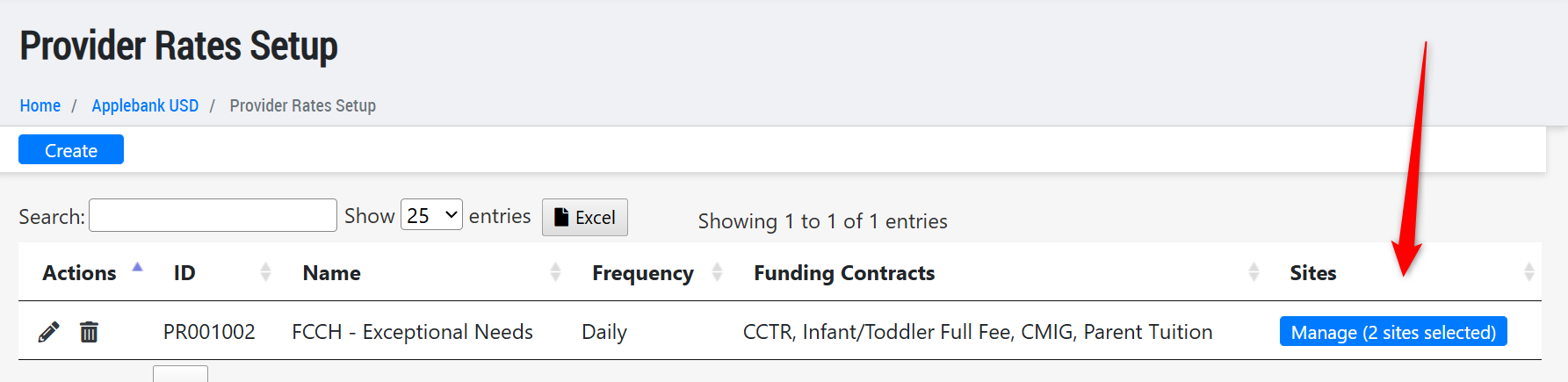
- We enhanced the Provider Rates Setup record at the agency level. The Sites column now includes a "Manage" button that opens a modal for assigning sites. The grid displays the number of assigned sites, while the Excel export continues to list each site by name.
Fixes & Adjustments
- Corrected the Meals Served count to exclude adult meals and report them separately.
- Fixed the Change Program Year tool to include the 2026–2027 school year when applicable.
- Expanded Billing Period options in Application for Services forms to support extended certification periods as described in CSPP guidelines.
- Added helper language within Finance Settings > Billing and Payments.
- Resolved an issue affecting Family Contract approval by Agency Approvers.
- Updated Payment/Credit records to ensure proper inclusion in General Ledger reports when users apply schedule data filters.
Was this article helpful?
That’s Great!
Thank you for your feedback
Sorry! We couldn't be helpful
Thank you for your feedback
Feedback sent
We appreciate your effort and will try to fix the article