TABLE OF CONTENTS
- CDF Enhancements
- MyTeachstone-Hubbe API
- Coaching Enhancements
- CLASS Enhancements
- Site Rating Enhancements
- General Enhancements
CDF Enhancements
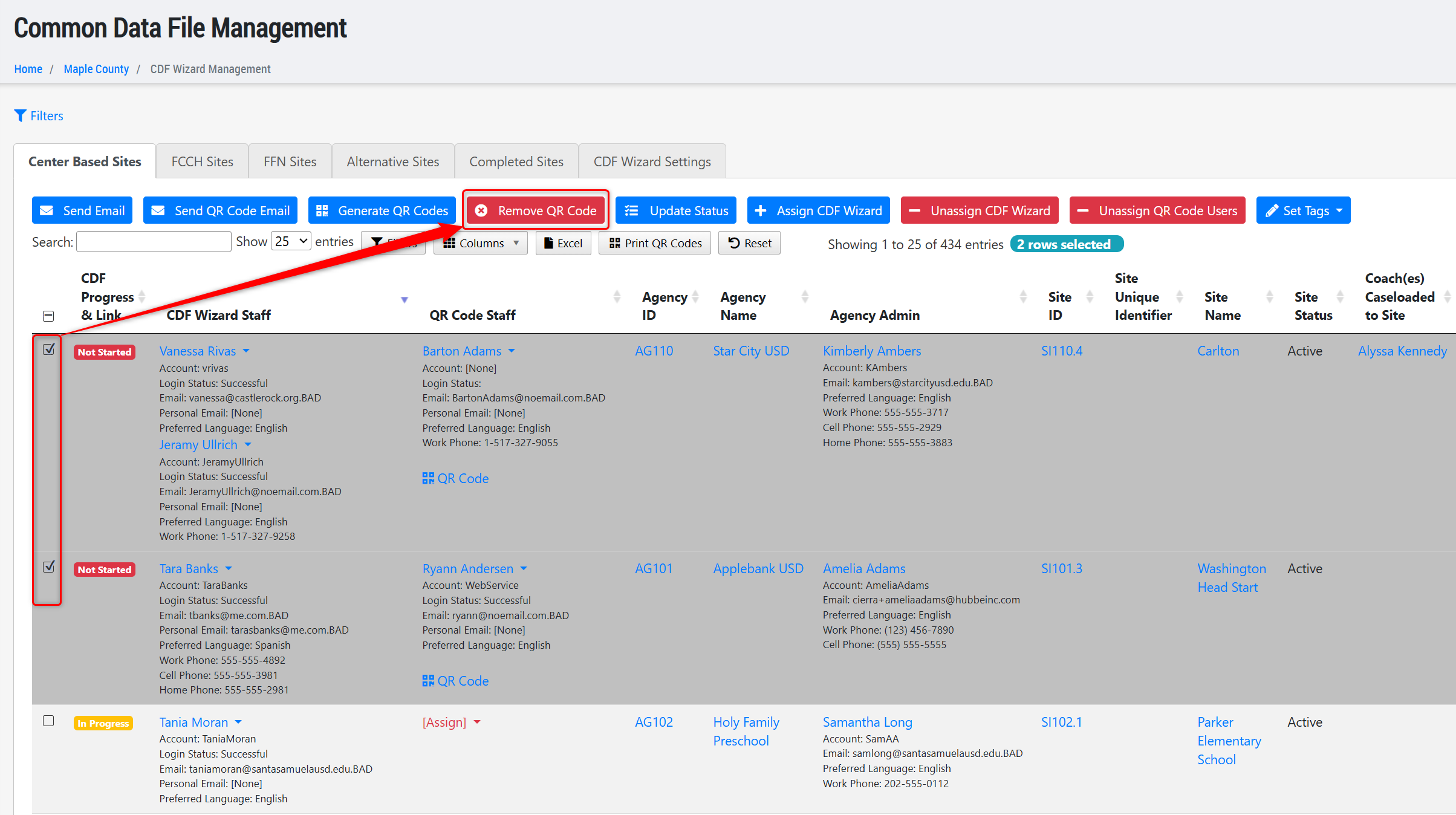
- Added a new action button to the CDF Wizard Management grid that allows users to "Remove QR Code" for any site that has a QR Code Portal link created. This will effectively remove any QR Code Staff assigned to the site as well as the QR Code/link to access the site's wizard via the QR Code Portal. This can be done for an individual site, or for all selected sites in the grid in a batch action.
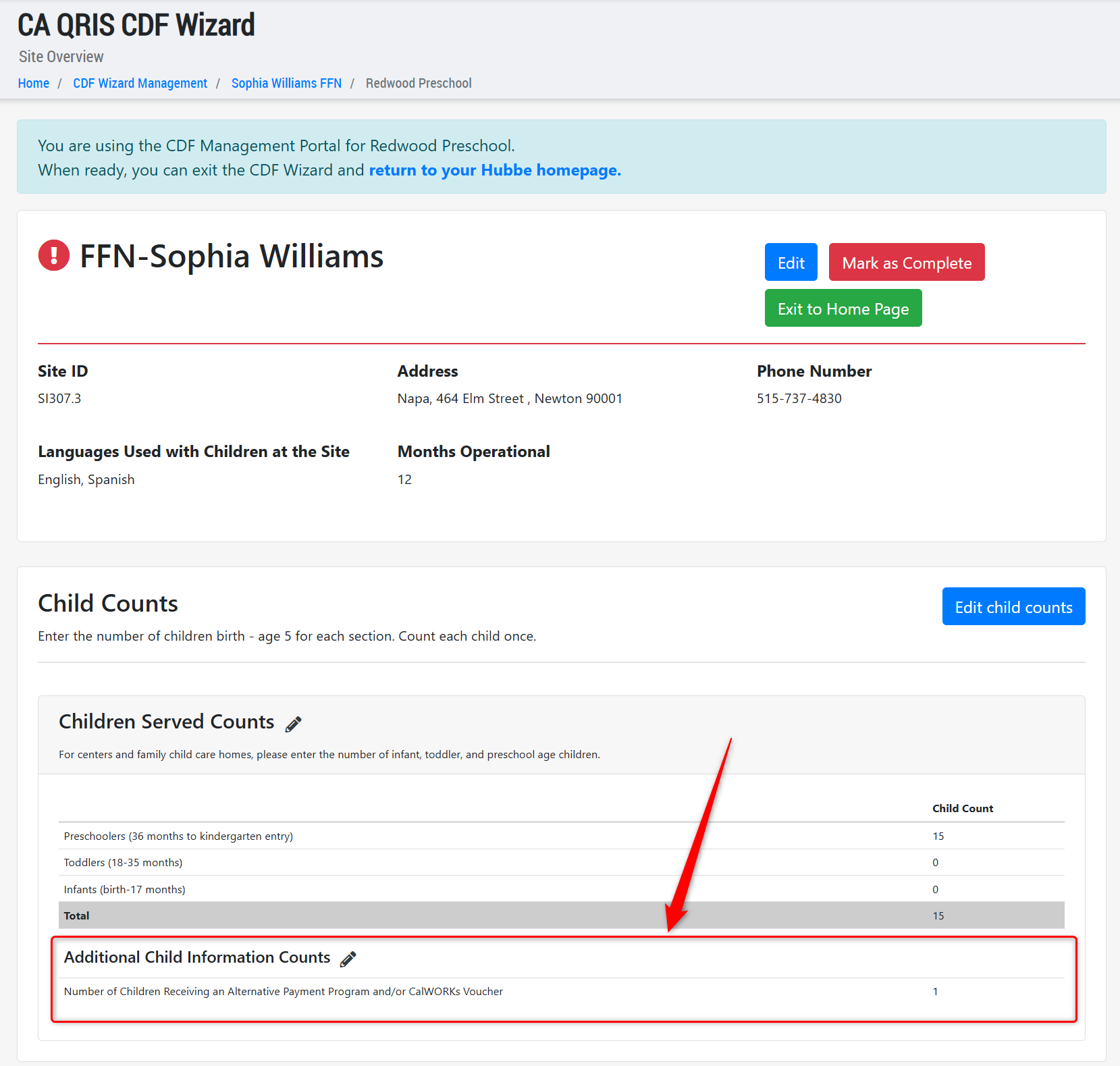
- Added a child counts field to the CDF Site Wizard for all sites with an Early Learning Setting of "N - Family, Friends and Neighbor" (FFN) that was previously missing: Number of Children Receiving an Alternative Payment Program and/or CalWORKs Voucher.
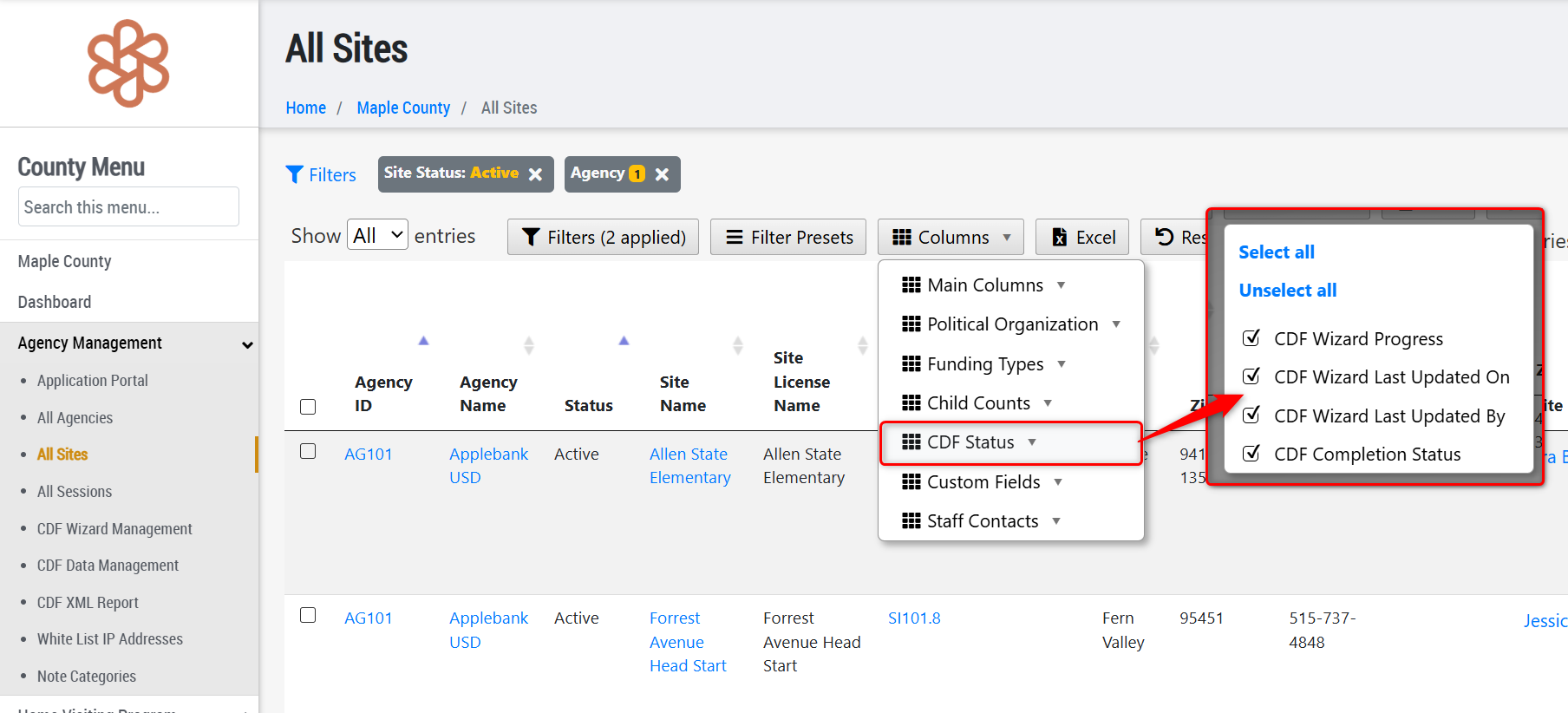
- Added several new columns to the All Sites grid for CDF status information that allows users to more easily view CDF statuses for sites without having to load into the CDF Data Management grid, including:
- CDF Wizard Progress - shows the status of the site's CDF Wizard in context of the assigned data reporters (Not Started, In Progress, Complete)
- CDF Wizard Last Updated On - shows the date of the last time the site's CDF Wizard was updated by any user
- CDF Wizard Last Updated By - lists the name of the user who last updated the site's CDF Wizard
- CDF Completion Status - shows the status of the site's data completion for submission (CDF Data Missing, CDF Data Complete)
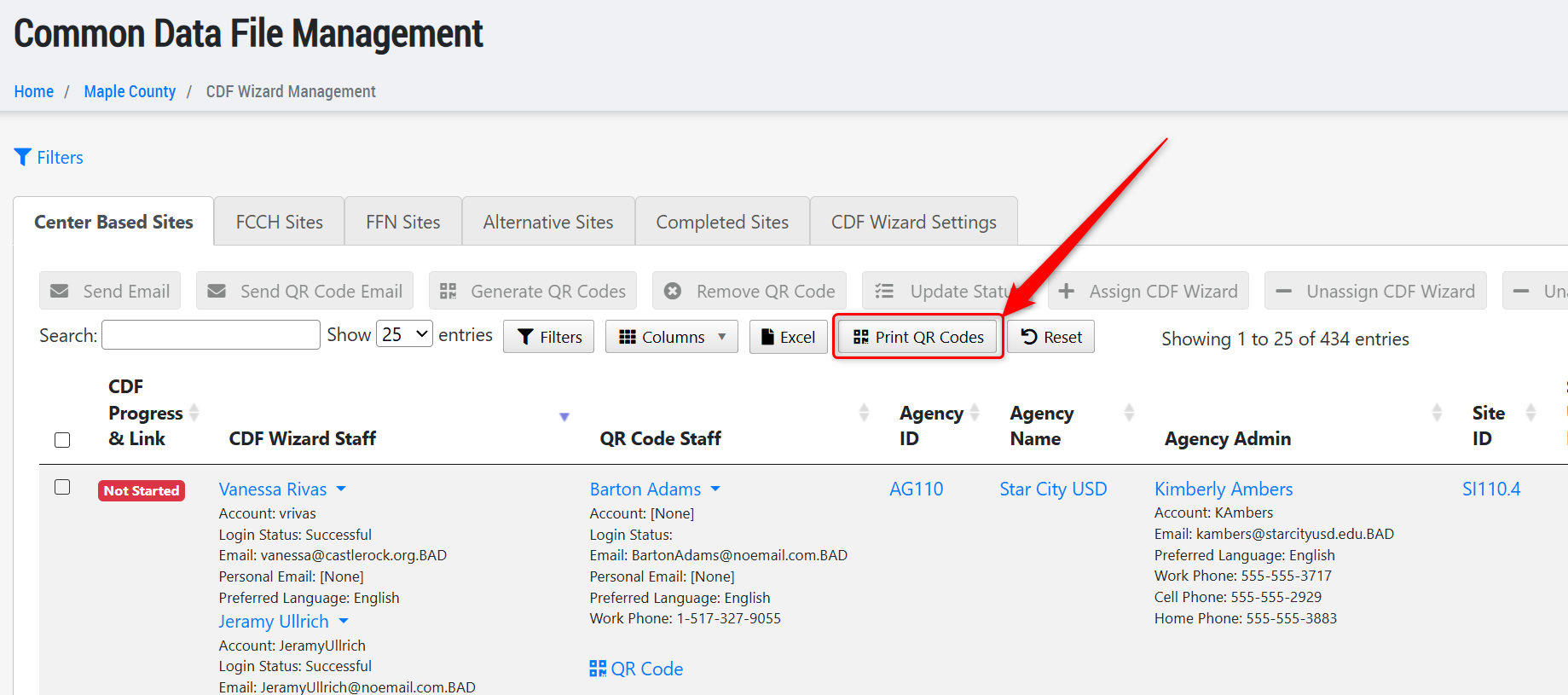
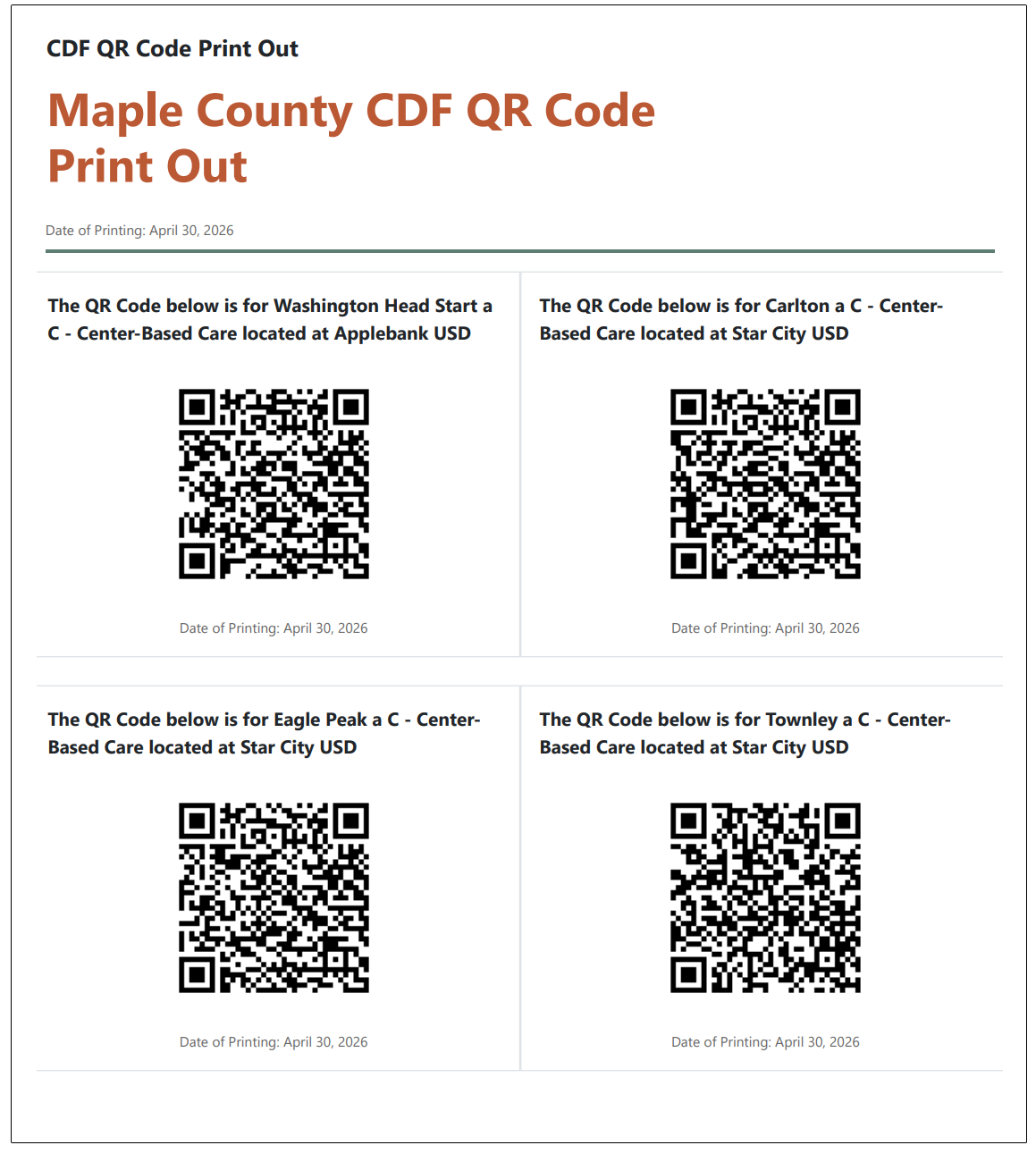
- Created a new QR Code Print Out to the CDF Wizard Management grid that will download a PDF with all the QR Code logins for each site that has one created. To retrieve this, users can simply click the "Print QR Code" grid tool button above the grid. This download will be the same within every tab, and will include all QR Codes for all sites that have one created, regardless of Early Learning Setting type. The download is formatted to display four (4) QR Codes a page to allow for easier separation if passing out to data reporters, and will include the site name, the site's agency/center, the Early Learning Setting type, and the date of download for each QR Code.
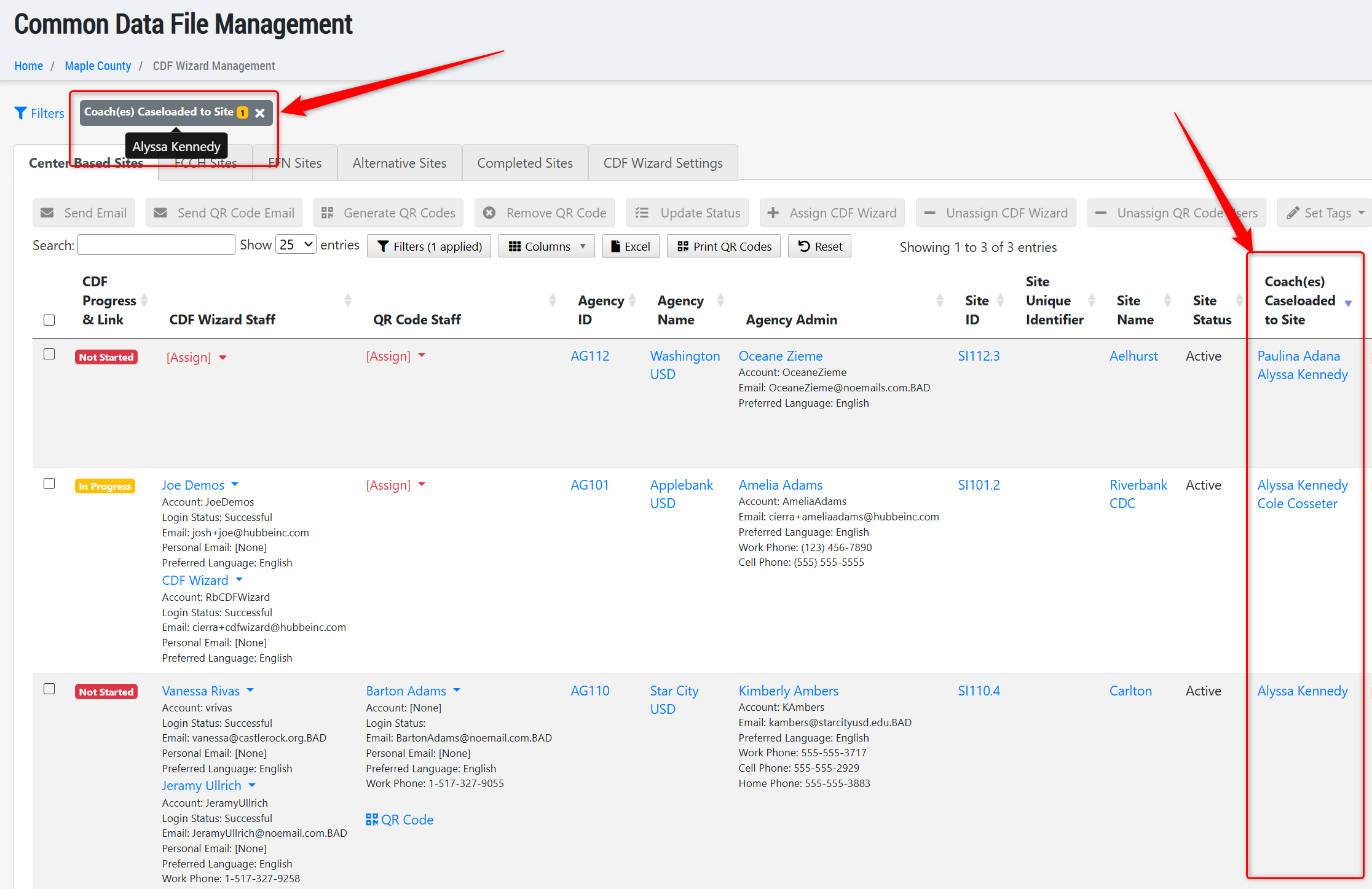
- Added a new column to the CDF Wizard Management grid titled "Coach(es) Caseloaded to Site" which will list any users that has the role of "Coach - Caseloaded" that has been assigned to that site. There is also an accompanying new filter for "Coach(es) Caseloaded to Site" to easily filter the grid for selected coach caseloads.
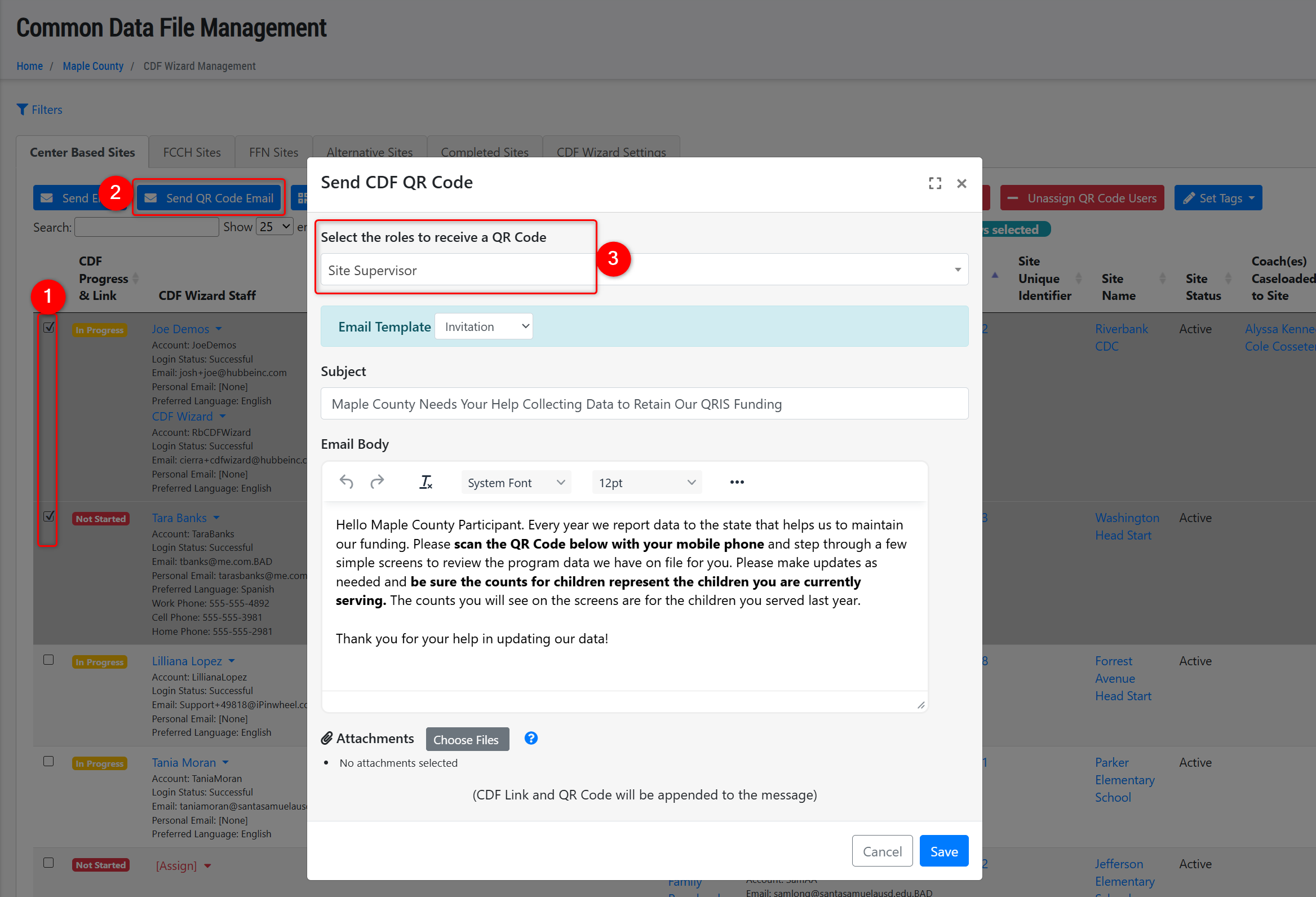
- Added the Site Supervisor as a role that CDF Managers can select to assign as QR Code users for a site within the CDF Wizard Management grid. To do so, users can select the sites in the grid, then click the "Send QR Code Email" button, and in the pop-up modal, select "Site Supervisor" as the role. This will send an email to any individual assigned as Site Supervisor to that site to complete the CDF data report.
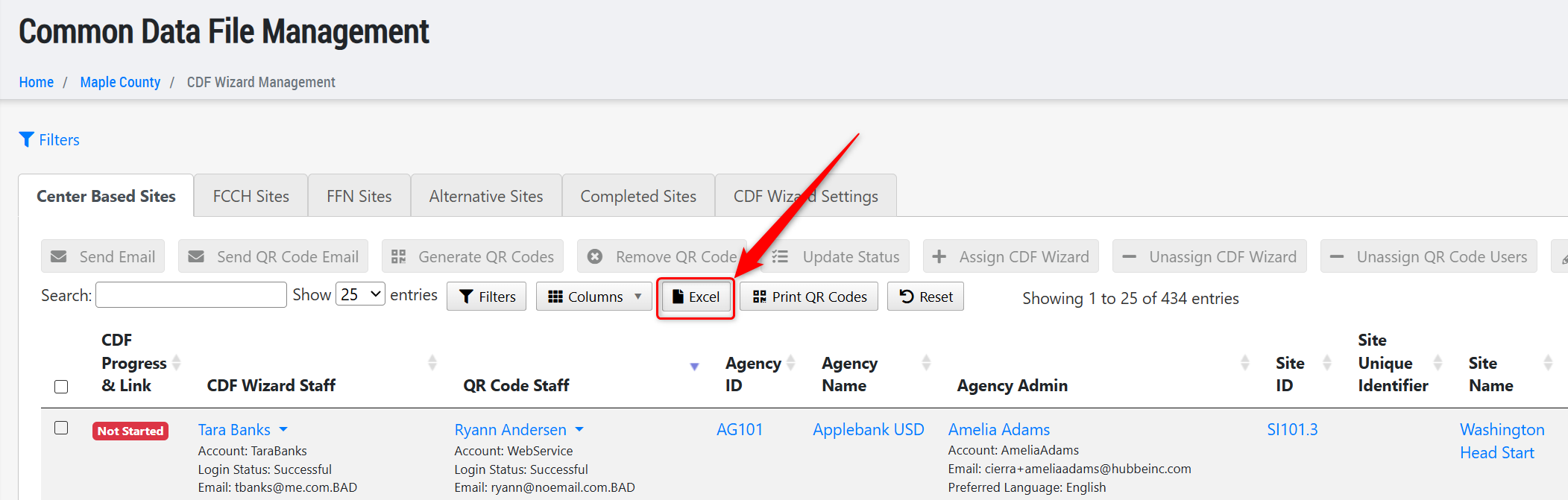
- Added new columns to the "Excel" export option on the CDF Wizard Management grid, including: CDF Wizard Staff Work Email(s), CDF Wizard Staff Personal Email(s), QR Code Staff Work Email(s), and QR Code Staff Personal Email(s). This allows users to export this file, copy all email addresses from any of these columns, and paste them into an email blast to these staff outside of Hubbe, if needed.

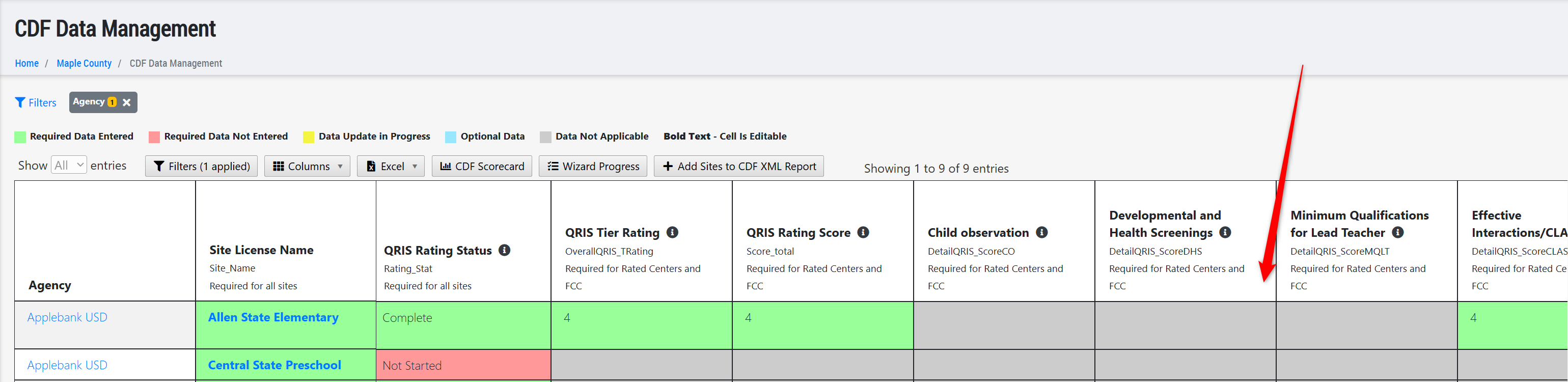
- Updated the CDF Data Management grid to ensure all non-applicable Site Rating Element columns are greyed out for sites that are now using the 2025 Rating Matrix tool. This ensures these sites are able to be completed and added to the CDF XML Report with only the Element 4b score.
- Made some minor wording changes to instructions and field titles in the CDF Wizard to ensure data reporters more clearly understand the criteria for each section and field.
MyTeachstone-Hubbe API
- We have been hard at work in collaboration with the MyTeachstone engineering team to create an efficient and comprehensive API or webservice that allows a seamless transfer of data from Teachstone to Hubbe. The CLASS Assessments that will transfer over to your Hubbe system will need to be manually imported at this time, in an effort to prevent duplicating CLASS data that may have been entered into both systems this spring. The process to manually import the CLASS assessments will be intuitive and simple from the new tabs on the CLASS Assessments roll-up grid. Following this release, the Hubbe team will continue to optimize this API service to begin implementing more automation for the data sharing process.
- We have created instruction materials to help guide your team through this process, linked below:
| Topic | Area | Role(s) | Link (Click below) |
| MyTeachstone CLASS Data Import Instruction Sheet - County Level | County - All CLASS Assessments | Funder Admin | Instruction Sheet |
| MyTeachstone CLASS Data Import Training Recording- County Level | County - All CLASS Assessments | Funder Admin | Training Video |
| MyTeachstone CLASS Data Import Instruction Sheet - Agency Level | Agency - CLASS Assessments | Funder Admin, Agency Admin, Education Specialist, Agency Data Reporting Contact | Instruction Sheet |
Coaching Enhancements
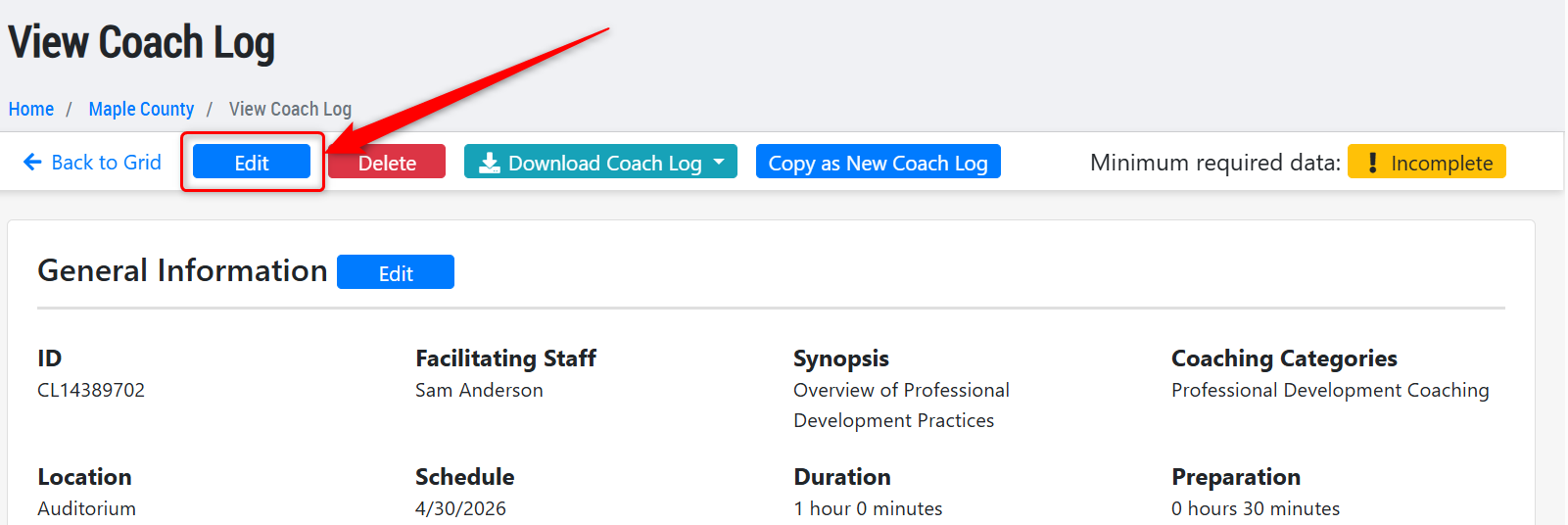
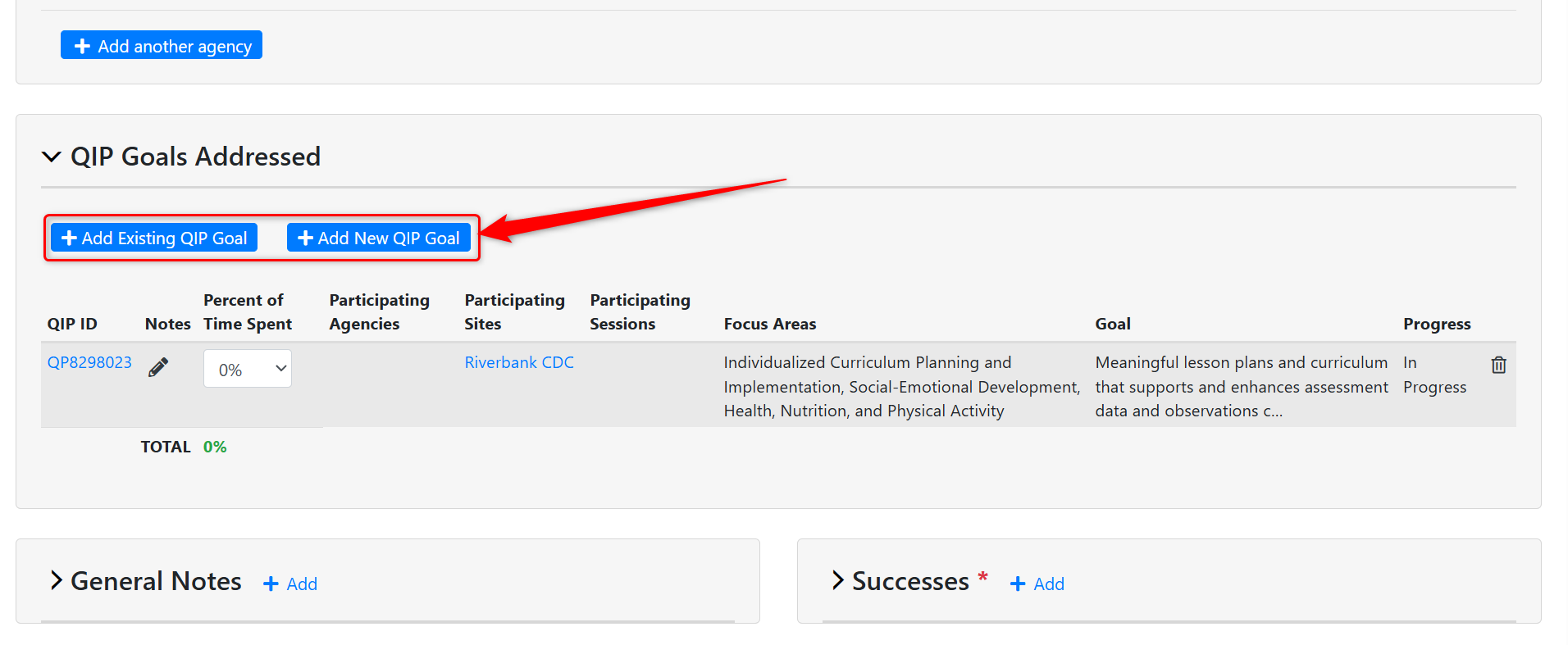
- Added back the full "Edit" page for the Coach Log as requested by users, so that users can either edit a single section within the Coach Log or the entire form in one view. We also added the buttons to add existing QIPs or a new QIP to the Coach Log from within the full-edit page view.
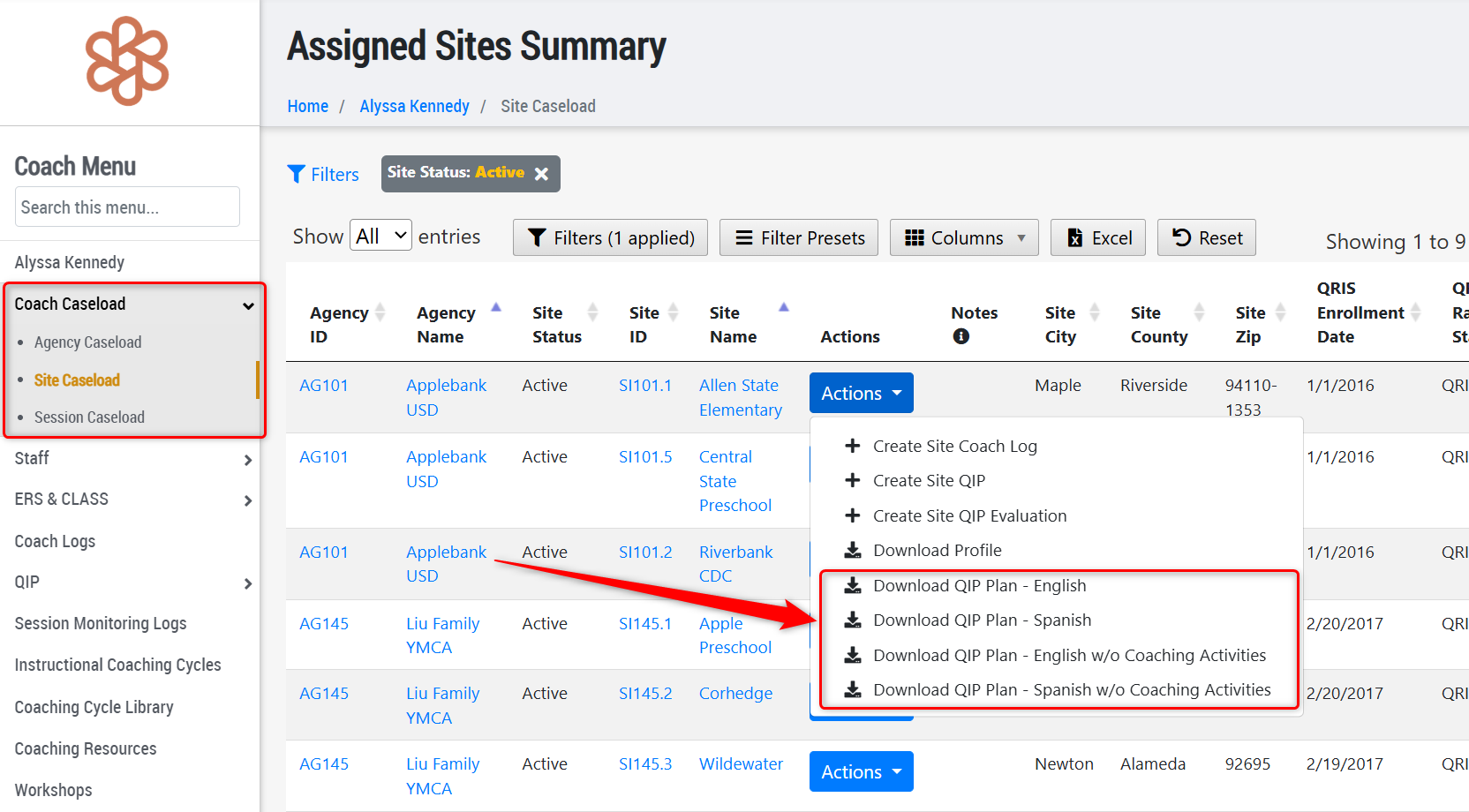
- Added the QIP Plan (with our without coaching activities) download to the Coach Caseload grids for each agency, site, and/or session the Coach is caseloaded.
CLASS Enhancements
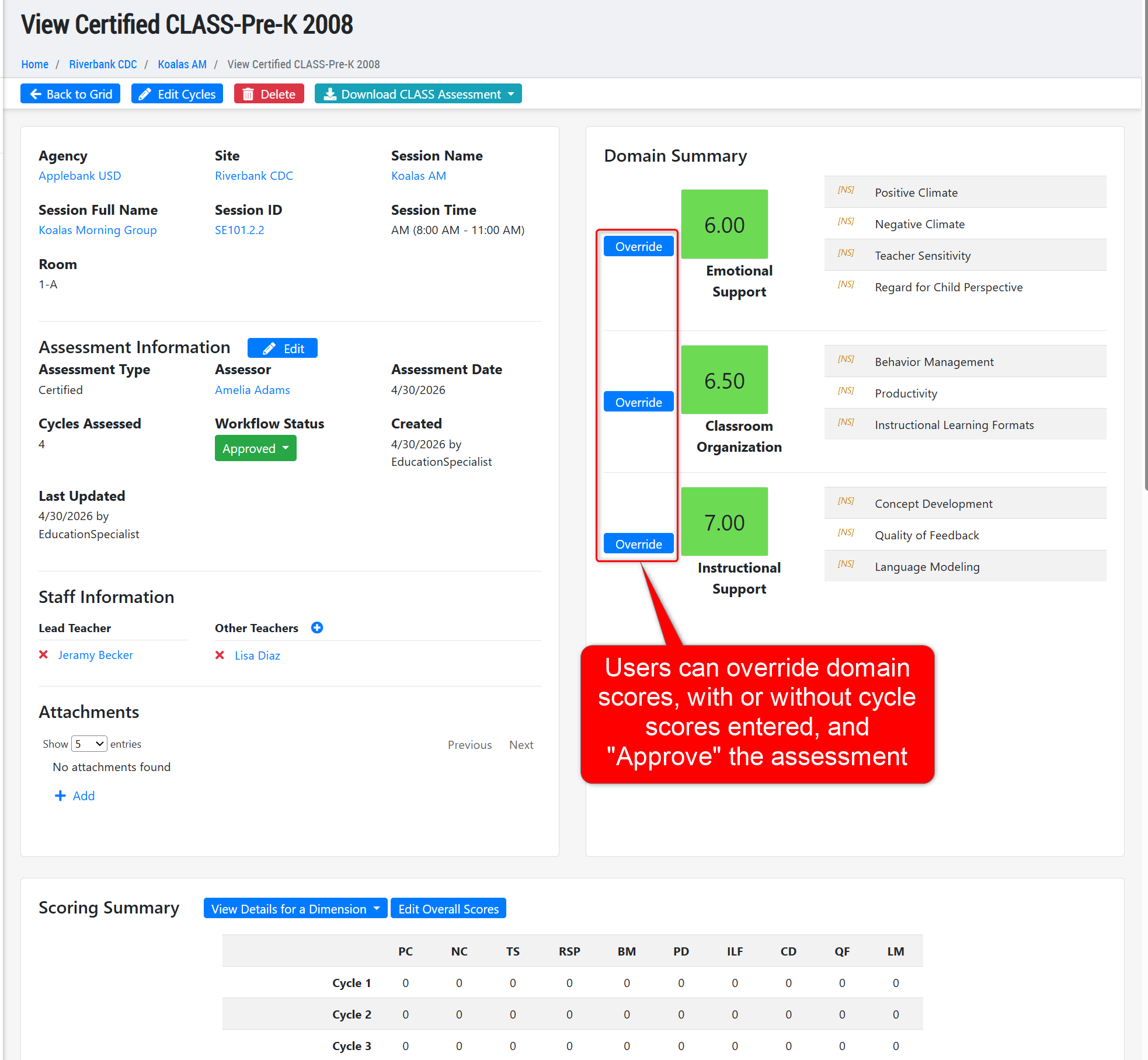
- Updated the CLASS Pre-K 2008 version to feature an "Override" button for each domain score. This allows users to quickly complete the CLASS if the domain scores are known without needing to score each element. This update was made to support centers who may still be using the CLASS Pre-K 2008 version for site ratings.
Site Rating Enhancements
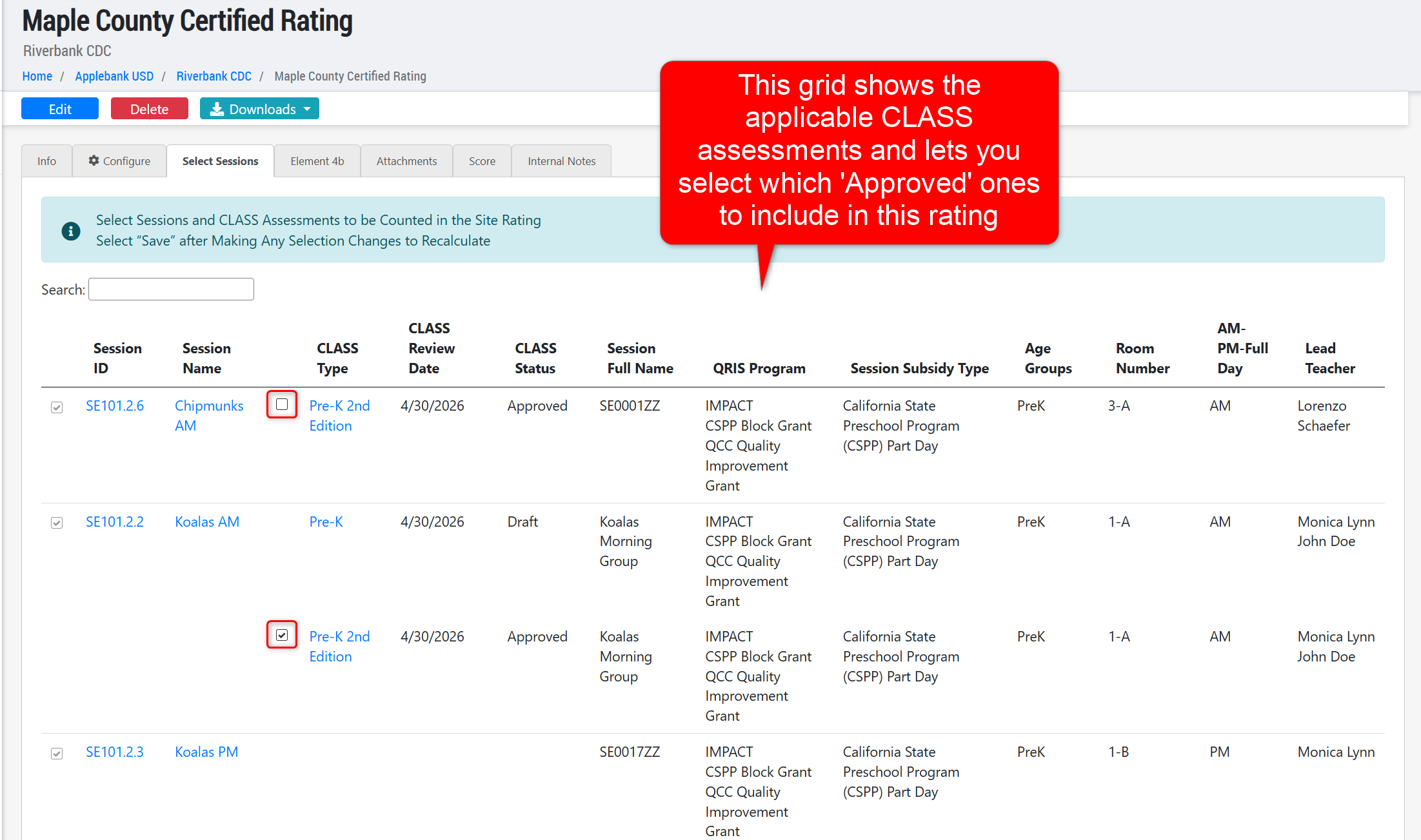
- Updated the 2025 Site Rating Matrix to allow users to select which sessions and CLASS Assessment records should be used to calculate the site's computed score. Users can now configure a date range for the site rating to pull CLASS assessments from, and view the calculation details according to the CLASS records being included in the rating.
- Updated the 2025 Site Rating Matrix to also allow users to include the CLASS Pre-K 2008 version type within the site rating, in addition to the CLASS Pre-K 2nd Edition version type, as both of these types can still be used to calculate a site's rating score.
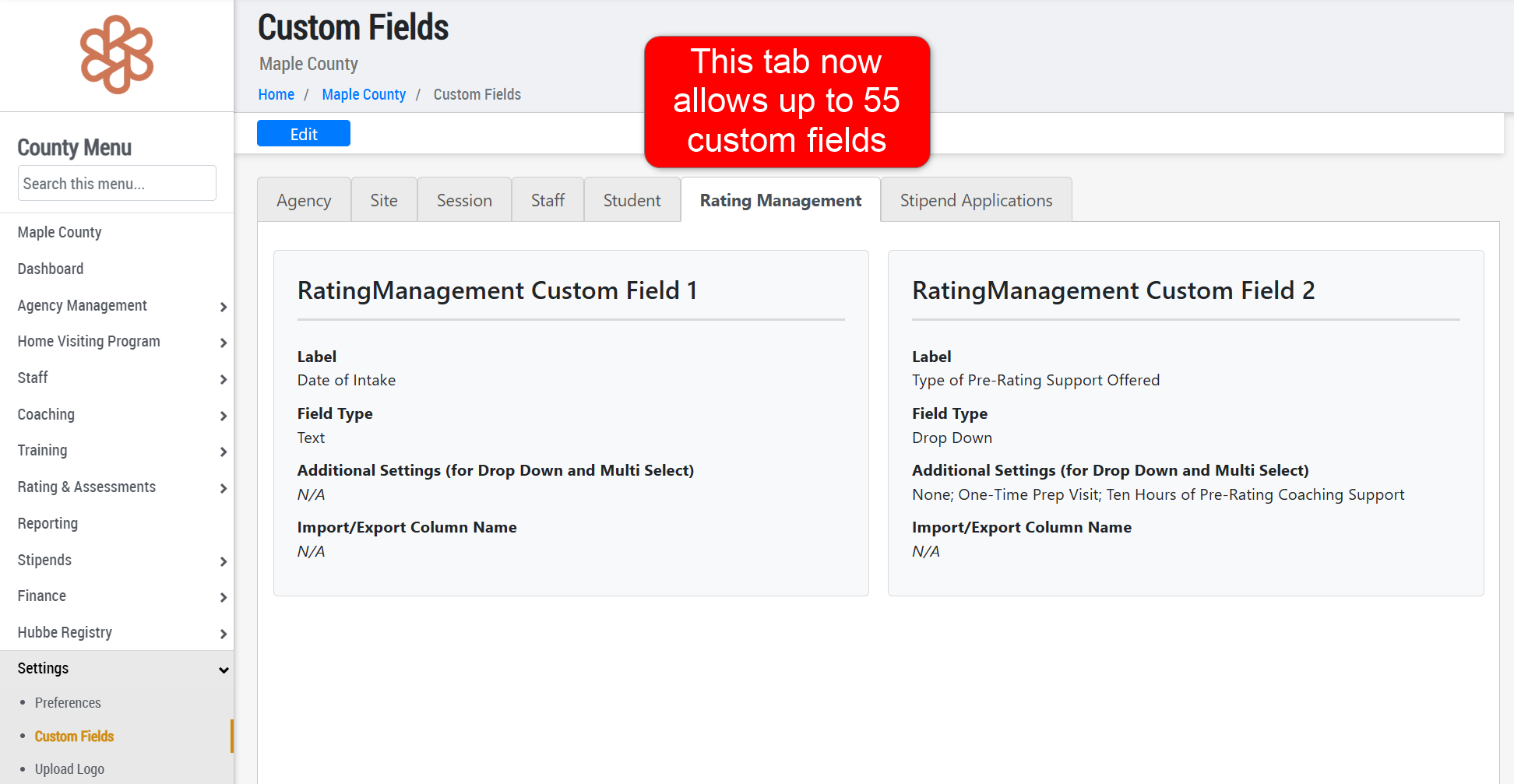
- Added 20 additional Custom Field sections to the Site Rating Management grid. To add these additional Custom Fields to this grid, navigate to County Menu > Settings > Custom Fields > Rating Management tab.
General Enhancements
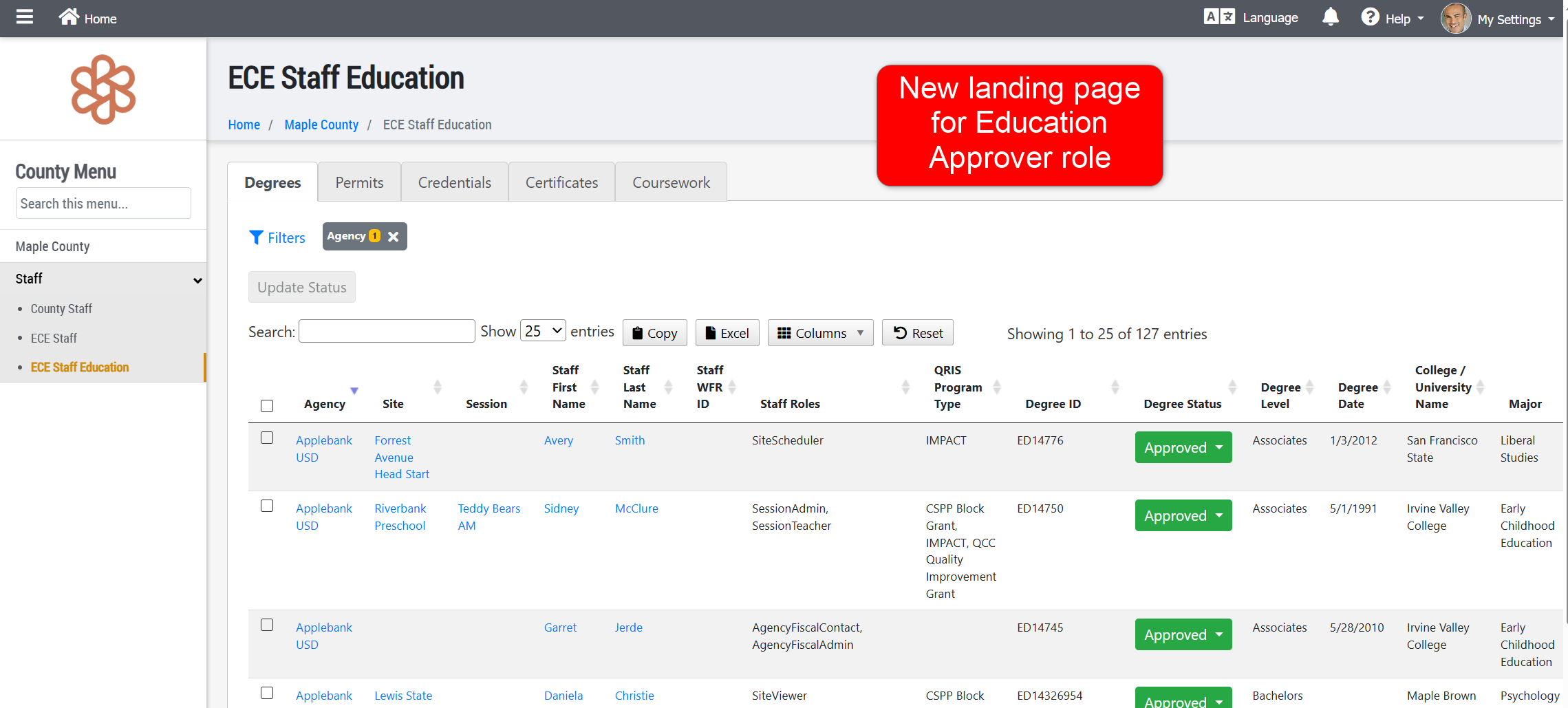
- Updated the landing pages of the Education Approver role to be the Staff Education roll-up grid that was released near the end of last year. This role will now land on this new grid when logging in, where all functionalities exist to successfully manage staff education records for their county. Users with this role can navigate into a staff's record to enter and manage education records, as well.
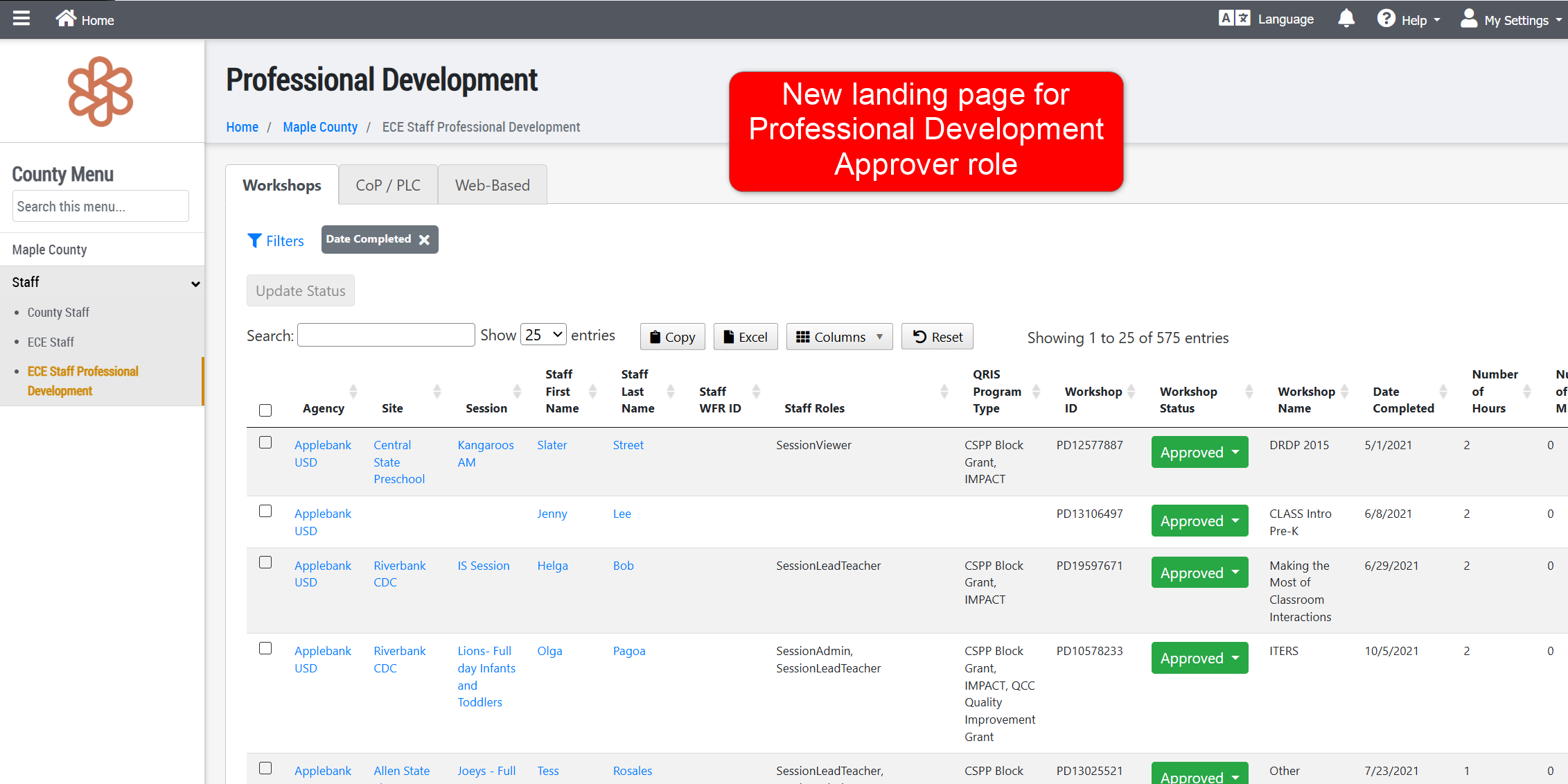
- Updated the landing pages of the Professional Development Approver role to be the Staff Professional Development roll-up grid that was released near the end of last year. This role will now land on this new grid when logging in, where all functionalities exist to successfully manage staff professional development records for their county. Users with this role can navigate into a staff's record to enter and manage professional development records, as well.
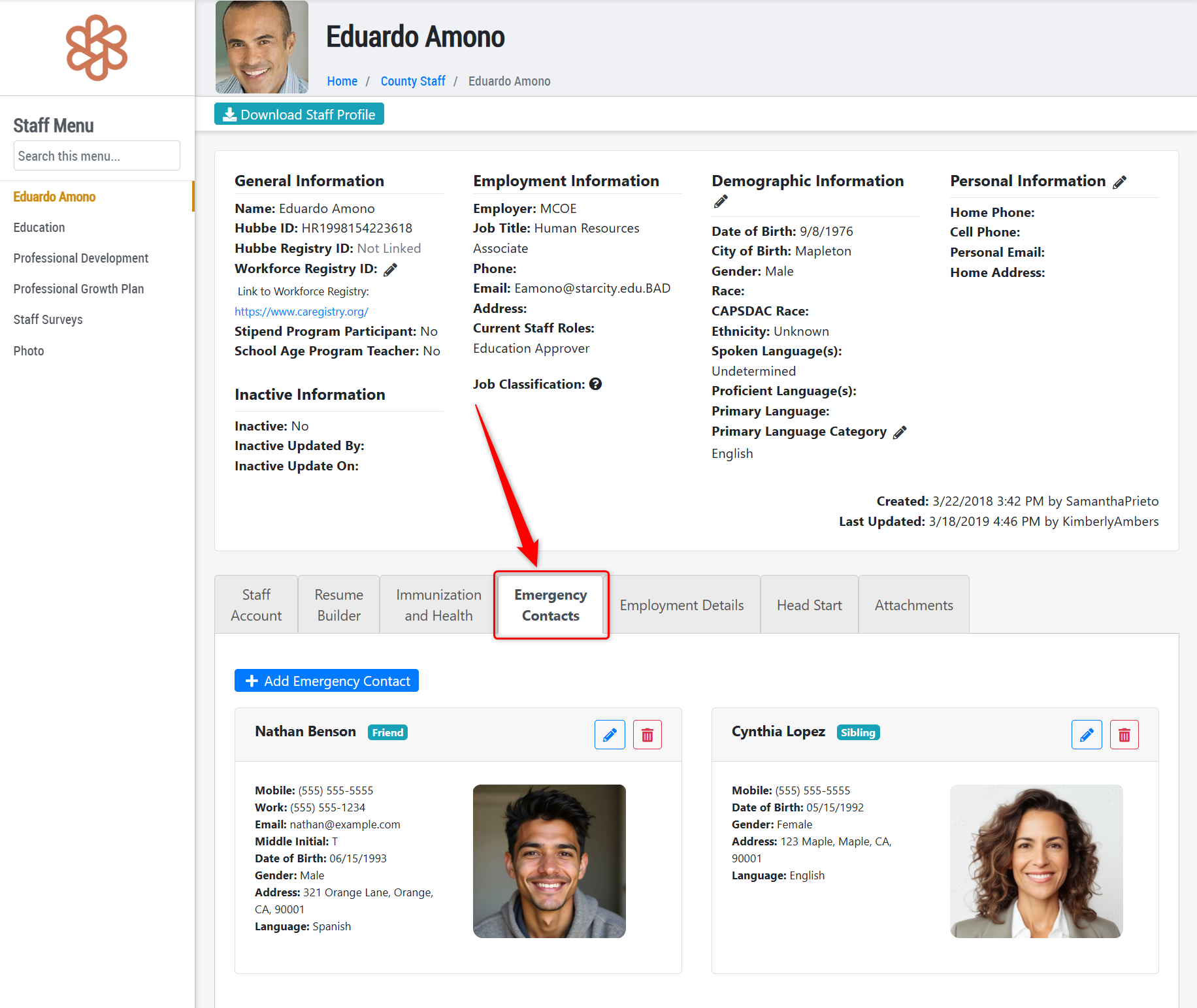
- Added a new feature to the Staff Record for "Emergency Contacts." Now, staff can enter emergency contacts for their own staff record, and other staff who can access their record can view the contacts in the event of an emergency for the individual. We will also be releasing a roll-up grid of all Emergency Contacts added for staff in a future update.
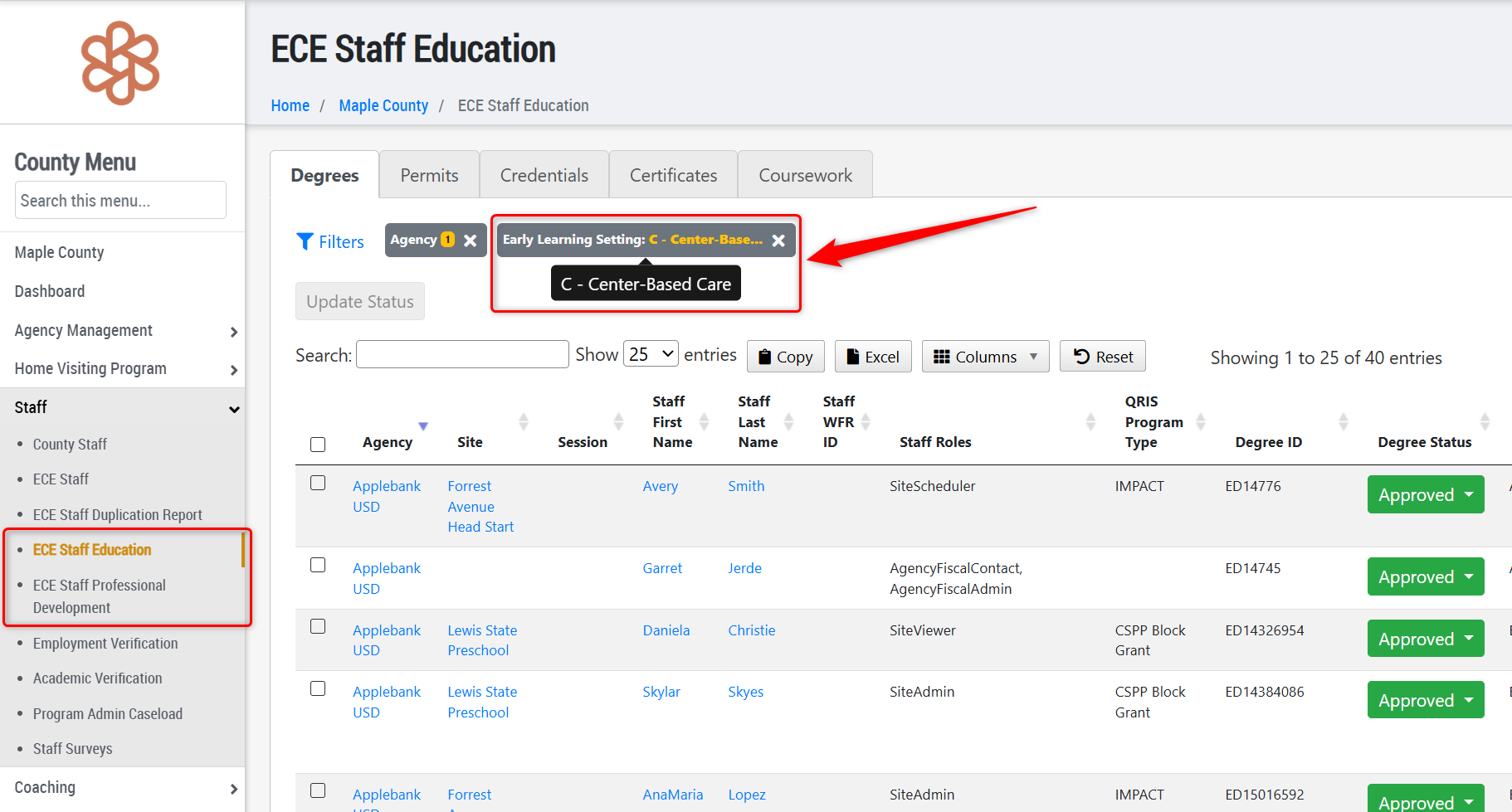
- Added a new filter to the Staff Education and Staff Professional Development grids for "Early Learning Setting." This will allow users to sort the grid for education and professional development activities from Center-Based or FCCH centers, for example.
Fixes & Adjustments
- Updated the All Sites grid to ensure any site with a CCL License Type of "Single License Child Care Center Facility" appears by default in the grid and the Excel export of the grid.
- Fixed an issue reported by users when trying to enter an address for a site within the CDF Wizard portal that included directional portions, such as "123 North Maple Drive."
- Updated the Sites export from the Import/Export portal to ensure the staff counts do not include the users assigned as CDF Wizards for the site.
- Updated all existing staff that previously had the Race of "Other (e.g., American Sign Language)" to now be "Other" following an update on Staff Race that no longer accepts the previous title.
- Added Spanish and Mandarin versions of the email message sent to users when registering an account within the Stipend Application portal.
Was this article helpful?
That’s Great!
Thank you for your feedback
Sorry! We couldn't be helpful
Thank you for your feedback
Feedback sent
We appreciate your effort and will try to fix the article